One of many Template



Edit Template Offline
2. Create new page and search for id 2181278
Edit Template Online
Create Awesome Websites


Free Nicepage Builder
Keywords
Home-Search Tiles Meet Business Plans and Transformation Content
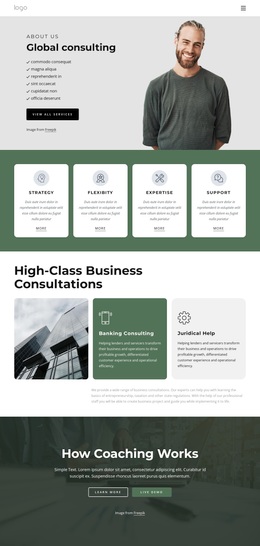
The combination of content areas is the main reason to consider this design among broader template options. Six bordered tiles explain home-search criteria such as budget, house style, beds, location, garage, and patio or deck, while the surrounding headings also refer to business services, creative plans, and IT solutions. That mixture creates a flexible starting point for projects that need to present practical criteria alongside a commercial offer.
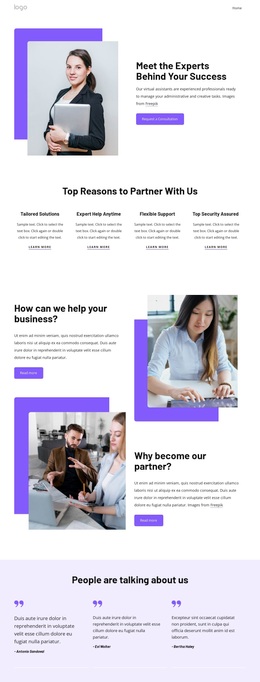
The page also covers several forms of reassurance. A prominent testimonial follows the Business hero, two more customer quote cards appear later, and four metric tiles introduce a results-oriented layer. These sections are not interchangeable: the portraits and quotes provide personal perspective, the counters summarize business evidence, and the pricing cards translate the presentation into three selectable Team, Personal, and Business options.
Contact content completes the choice. Direct phone options, an expandable help section, and an inquiry form give the design a stronger service-conversation character than a page built only around feature cards. At the same time, the Home, About, and Contact navigation keeps the long presentation understandable. The result is a distinctive option for a project that needs to combine visual proof, plan comparison, explanatory content, and direct contact in one coherent business page.
Customize with Nicepage
Open this ready-made template in the Template Builder and customize it visually in the Nicepage editor. Replace demo content, edit page sections, and adapt the design to your project without rebuilding the template from scratch.
Start With a Ready-Made Template
Choose a Design for a New Page
Use a ready-made template as a starting point instead of creating every page from a blank canvas. When adding a new page in Nicepage, browse available designs, compare different layouts, and choose an option that already fits the general purpose and visual direction of your project.
Browse Different Page Designs
Explore Page Designs using search, thematic categories, Design Sets, and full-page previews. The collection includes layouts for different subjects and page purposes, making it easier to compare alternatives before selecting a design to customize.
Customize the Selected Template
After choosing a design, create the page and continue editing it visually in Nicepage. Replace the demo content, adjust images, typography, colors, sections, and other elements, and adapt the ready-made layout to your own content instead of rebuilding the design from the beginning.
Explore More Design Directions
If the first option does not match your project closely enough, return to the design collection and compare other templates before committing to a layout. This makes the template library useful not only for faster page creation, but also for exploring different visual approaches and finding a suitable starting point for a new project.
This workflow gives you access to a broad collection of ready-made designs that can be selected, compared, and customized according to the needs of each new page or project.