Ideas for autumn looks Template


Edit Template Offline
2. Create new page and search for id 20409
Edit Template Online
Create Awesome Websites


Free Nicepage Builder
Keywords
Bohemian Clothing and Street Style Give This Design a Clear Point of View
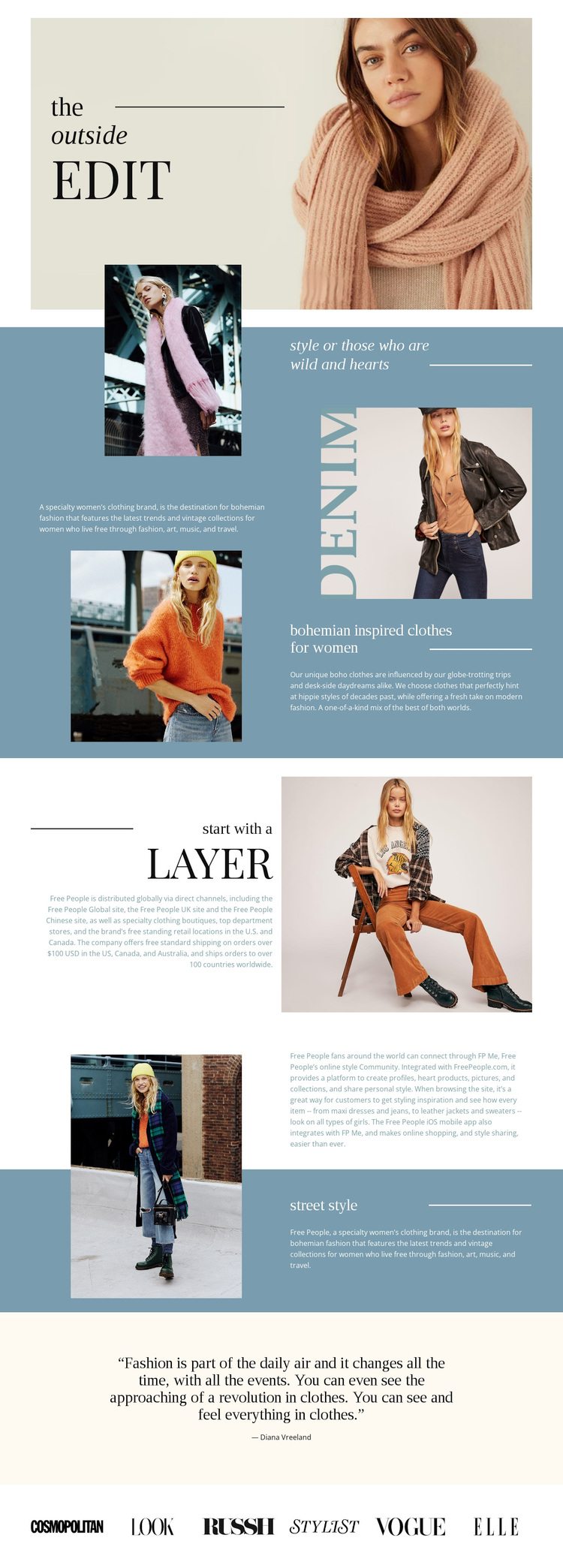
Warm portrait photography carries much of the page’s identity, but the design becomes distinctive through the way imagery is connected to specific fashion subjects. The opening “the outside edit” composition establishes a magazine-like frame, then the statement section and brand introduction expand that frame with alternating image-and-text relationships. This makes the layout suitable for projects that want to communicate a clothing outlook through editorial storytelling rather than dense catalog presentation.
The heading “bohemian inspired clothes for women” states the central direction directly, while “start with a Layer” introduces a practical styling theme within the same visual language. The later “street style” section adds another recognizable subject, creating content coverage across brand mood, clothing, layering, and everyday fashion. Muted blue blocks separate these themes without fragmenting them, and pale neutral sections give the centered quotation and community passage room to breathe.
The six-logo publication strip is another useful choice factor because it supplies a structured closing element that many fashion layouts do not include. It should be read as part of the template’s visual and content composition, not as independently verified endorsement. For a project seeking an art-directed bohemian fashion presence, this design offers a clear editorial direction, defined topics, and enough sectional variation to adapt the story without losing its character.
Customize with Nicepage
Open this ready-made template in the Template Builder and customize it visually in the Nicepage editor. Replace demo content, edit page sections, and adapt the design to your project without rebuilding the template from scratch.
Start With a Ready-Made Template
Choose a Design for a New Page
Use a ready-made template as a starting point instead of creating every page from a blank canvas. When adding a new page in Nicepage, browse available designs, compare different layouts, and choose an option that already fits the general purpose and visual direction of your project.
Browse Different Page Designs
Explore Page Designs using search, thematic categories, Design Sets, and full-page previews. The collection includes layouts for different subjects and page purposes, making it easier to compare alternatives before selecting a design to customize.
Customize the Selected Template
After choosing a design, create the page and continue editing it visually in Nicepage. Replace the demo content, adjust images, typography, colors, sections, and other elements, and adapt the ready-made layout to your own content instead of rebuilding the design from the beginning.
Explore More Design Directions
If the first option does not match your project closely enough, return to the design collection and compare other templates before committing to a layout. This makes the template library useful not only for faster page creation, but also for exploring different visual approaches and finding a suitable starting point for a new project.
This workflow gives you access to a broad collection of ready-made designs that can be selected, compared, and customized according to the needs of each new page or project.