New trends new bags Joomla Template


The #trends Card Can Organize a Structured Product Region in Joomla
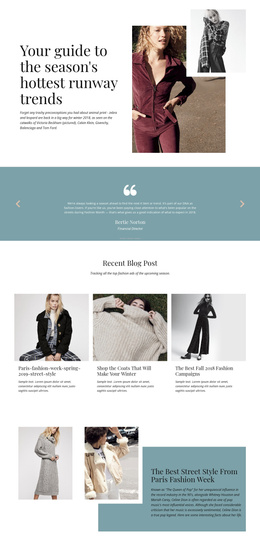
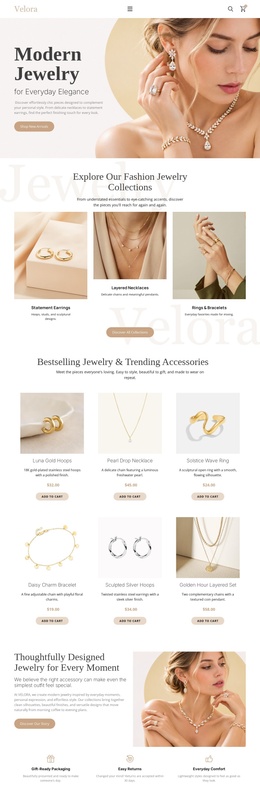
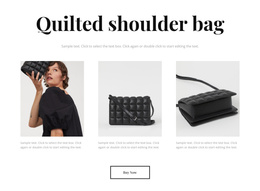
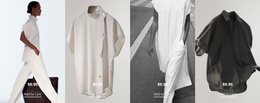
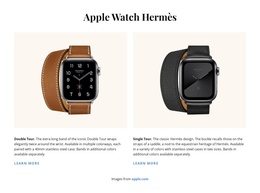
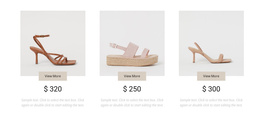
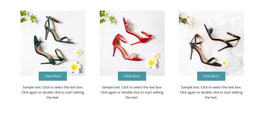
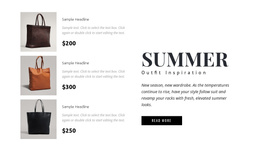
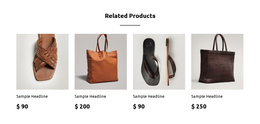
The “#trends” heading and the four repeated product items divide this section into recognizable content units. The large fashion image and overlapping white card introduce the collection, while the “read more” action provides a route toward related content. To the right, the two-column grid keeps four product entries visually comparable; each entry contains an image, a displayed price, and descriptive text.
In a Joomla-managed project, this arrangement can serve as a stable product-information region within a page while the broader site handles its wider editorial structure. The block’s value comes from how it groups related product details rather than from any particular sample price or placeholder wording. The black, white, and light gray palette also gives the content area a restrained presentation that can sit alongside other CMS-managed sections without competing with them.
The section is therefore suited to a structured CMS context where a collection needs a clear visual container. The image-led introduction can establish the theme, and the repeated cards can preserve a consistent pattern for related items. Any surrounding Joomla content, categories, or editorial controls belong to the containing project; this block contributes one reusable visual region with a defined product-display role.
Customize with Nicepage
Open this ready-made template in the Joomla Page Builder and customize it visually in the Nicepage editor. Replace demo content, edit page sections, and adapt the design to your project without rebuilding the template from scratch.
Edit Template Offline
2. Create a new page or select existing
3. Click Add new block, search for id 90877 and click enter
Edit Template Online
Create Awesome Websites


Free Nicepage Builder
Keywords
Work With This Template in Joomla
Customize and Install the Joomla Template
Start with this ready-made template instead of building the Joomla design from scratch. Customize its layout, content, typography, images, sections, and other design elements visually in the Nicepage application, then export and install the Joomla Template, Nicepage Extension, and supported content on your Joomla website.
Edit the Template Directly in Joomla
After installation, you can edit the Joomla Template directly in Joomla with the Nicepage Joomla Extension. Customize the Header, Footer, Colors, Fonts, typography, and Page Templates from the Joomla workflow while keeping the site design connected with your CMS content.
Edit Joomla Articles Visually
Use the Nicepage Joomla Extension to open and edit Joomla Articles visually from the Joomla Administrator. Change text, images, sections, layouts, and other page content in the Nicepage editor while continuing to manage the Articles through Joomla.
Joomla Content and Template Integration
Use the customized template together with Joomla Articles, module Positions, menus, forms, Blog Pages, and other supported CMS elements. With the Nicepage Extension used as the Site Style Source, shared design settings can be applied across Joomla Articles while Joomla continues to provide the CMS environment for managing site content.
This workflow combines a ready-made Joomla Template with visual customization, direct template editing in Joomla, and continued content management through the Nicepage Joomla Extension.