New fashion trends Joomla Template


A Structured Apparel Region for Joomla Content
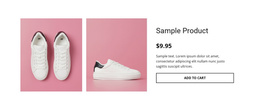
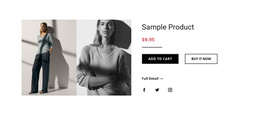
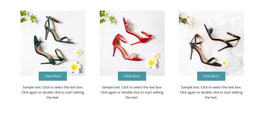
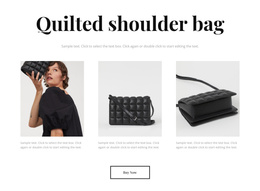
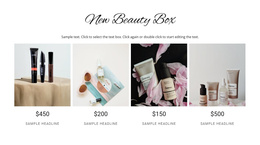
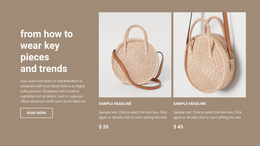
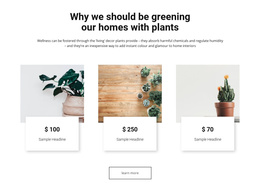
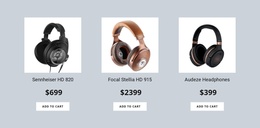
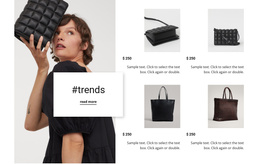
The four tiles provide a compact way to present repeated product information inside a Joomla-oriented page composition. Each item has the same internal relationship: an image carries the visual identity of the apparel product, the lower overlay shows the displayed sale price and original price, and the Add to Cart action marks the purchase route. Because those roles repeat across all four columns, the section can remain visually consistent while surrounding page content supplies broader categories, descriptions, or editorial context.
The visible $9.95 and $12 values function as part of the block's displayed product presentation, while the repeated action gives each tile a common next step. The single-row layout is especially useful when the page needs a concentrated product region rather than a long sequence of separate entries. Joomla-managed content can use this area as a stable visual section for an apparel collection, with related information maintained elsewhere in the wider site composition. Nicepage's Joomla workflow provides product and content context for Joomla projects, but this block's defining contribution remains its four image-led product groups. Keeping the content roles aligned protects the comparison pattern and prevents CMS context from obscuring the section's direct shopping presentation.
Customize with Nicepage
Open this ready-made template in the Joomla Page Builder and customize it visually in the Nicepage editor. Replace demo content, edit page sections, and adapt the design to your project without rebuilding the template from scratch.
Edit Template Offline
2. Create a new page or select existing
3. Click Add new block, search for id 90879 and click enter
Edit Template Online
Create Awesome Websites


Free Nicepage Builder
Keywords
Work With This Template in Joomla
Customize and Install the Joomla Template
Start with this ready-made template instead of building the Joomla design from scratch. Customize its layout, content, typography, images, sections, and other design elements visually in the Nicepage application, then export and install the Joomla Template, Nicepage Extension, and supported content on your Joomla website.
Edit the Template Directly in Joomla
After installation, you can edit the Joomla Template directly in Joomla with the Nicepage Joomla Extension. Customize the Header, Footer, Colors, Fonts, typography, and Page Templates from the Joomla workflow while keeping the site design connected with your CMS content.
Edit Joomla Articles Visually
Use the Nicepage Joomla Extension to open and edit Joomla Articles visually from the Joomla Administrator. Change text, images, sections, layouts, and other page content in the Nicepage editor while continuing to manage the Articles through Joomla.
Joomla Content and Template Integration
Use the customized template together with Joomla Articles, module Positions, menus, forms, Blog Pages, and other supported CMS elements. With the Nicepage Extension used as the Site Style Source, shared design settings can be applied across Joomla Articles while Joomla continues to provide the CMS environment for managing site content.
This workflow combines a ready-made Joomla Template with visual customization, direct template editing in Joomla, and continued content management through the Nicepage Joomla Extension.