Planning a vacation Joomla Template


Structured Rental Information Over a Shared Travel Image
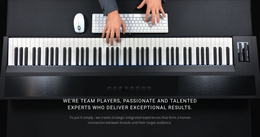
The block divides its travel message into two useful content groups. The heading and rental-rate comparison paragraph provide the explanatory portion, while the Location, 250+ Cars, and Happy Users items summarize supporting attributes in a repeated format. A grayscale portrait unifies these groups as one visual section, and the horizontal lower alignment allows the information to be scanned without breaking the image-led composition.
Within a Joomla-oriented project, this arrangement can function as a reusable structured information region on a page about travel services or car rental. The paragraph can carry the main descriptive message, while the three labels provide short content units that remain visually distinct. The section can sit alongside other CMS-managed content without requiring the block itself to represent the site’s article system, categories, menus, or broader template architecture.
The visual relationship also matters when the block is maintained as page content. White overlay text needs to remain legible against the portrait, and the repeated feature items need consistent spacing so Location, 250+ Cars, and Happy Users read as parallel attributes. That makes the block suitable for a stable Joomla-managed content area where the surrounding project handles wider editorial organization and this section preserves its focused travel-service presentation.
Customize with Nicepage
Open this ready-made template in the Joomla Page Builder and customize it visually in the Nicepage editor. Replace demo content, edit page sections, and adapt the design to your project without rebuilding the template from scratch.
Edit Template Offline
2. Create a new page or select existing
3. Click Add new block, search for id 61967 and click enter
Edit Template Online
Create Awesome Websites


Free Nicepage Builder
Keywords
Use This Block in a Joomla-Managed Website
Keep the Block as a Page Section
Use the block as one content/layout section inside a Joomla-oriented website rather than treating the Block ID as a complete Joomla Template. Its text, images, repeated items, forms, galleries, or other verified content can remain part of the page design while Joomla provides the broader CMS environment.
Work With Nicepage in Joomla
After a Nicepage Joomla project is installed, the Nicepage Joomla workflow can connect visual design with Joomla content. The block can participate in pages or content areas that are edited as part of that broader project.
Continue Editing in Joomla
Nicepage also supports editing a Joomla Template directly in Joomla. Use CMS-specific features only where they are relevant to the surrounding site; the analyzed block itself does not prove the presence of Joomla Articles, module Positions, categories, or other CMS structures.
This workflow keeps the block's verified section role separate from the Joomla site architecture while allowing the same visual/content area to participate in a CMS-managed project.