Amazing ideas for travel Joomla Template
Edit Template Offline
2. Create new page and search for id 14317
Edit Template Online
Create Awesome Websites


Free Nicepage Builder
Keywords
Activity Categories and Shared Regions Give Travel Content a Joomla Shape
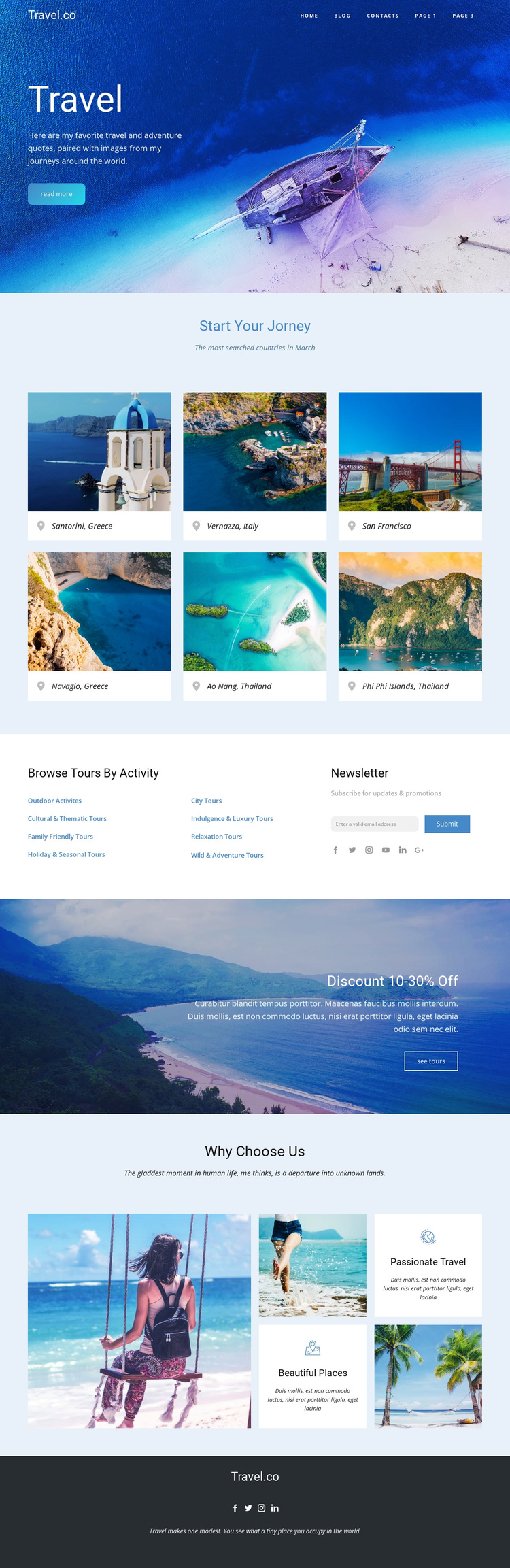
The activity section divides the page’s travel information into recognizable content groups. Browse Tours By Activity presents links for outdoor, cultural and historic, family-friendly, holiday, city, sightseeing, relaxation, and water or adventure interests. That structure differs from the six destination cards above it: the cards emphasize places, while the activity links emphasize ways to browse experiences. Together, they create two complementary content paths that can remain distinct when the page is adapted for a CMS-managed travel site.
The newsletter control beside the activity links provides a separate communication area, and the discount banner supplies a clearly bounded promotional region. The Why Choose Us block adds supporting information through travel images and the Passionate Travel and Beautiful Places themes, while the dark social footer establishes a reusable closing region with identity text and social links. These divisions are useful for organizing structured site content and navigation without claiming that Joomla Articles, categories, or module positions already exist in the template. A Joomla project could preserve the relationship between destination-oriented content, activity-oriented navigation, subscription messaging, promotional content, and shared footer information. The design therefore offers more than a single visual surface: it provides a set of recognizable regions whose roles can remain coordinated as editorial travel content changes.
Customize with Nicepage
Open this ready-made template in the Joomla Page Builder and customize it visually in the Nicepage editor. Replace demo content, edit page sections, and adapt the design to your project without rebuilding the template from scratch.
Work With This Template in Joomla
Customize and Install the Joomla Template
Start with this ready-made template instead of building the Joomla design from scratch. Customize its layout, content, typography, images, sections, and other design elements visually in the Nicepage application, then export and install the Joomla Template, Nicepage Extension, and supported content on your Joomla website.
Edit the Template Directly in Joomla
After installation, you can edit the Joomla Template directly in Joomla with the Nicepage Joomla Extension. Customize the Header, Footer, Colors, Fonts, typography, and Page Templates from the Joomla workflow while keeping the site design connected with your CMS content.
Edit Joomla Articles Visually
Use the Nicepage Joomla Extension to open and edit Joomla Articles visually from the Joomla Administrator. Change text, images, sections, layouts, and other page content in the Nicepage editor while continuing to manage the Articles through Joomla.
Joomla Content and Template Integration
Use the customized template together with Joomla Articles, module Positions, menus, forms, Blog Pages, and other supported CMS elements. With the Nicepage Extension used as the Site Style Source, shared design settings can be applied across Joomla Articles while Joomla continues to provide the CMS environment for managing site content.
This workflow combines a ready-made Joomla Template with visual customization, direct template editing in Joomla, and continued content management through the Nicepage Joomla Extension.