A perfect choice Joomla Template


The green subscription panel gives structured content a clear Joomla page role
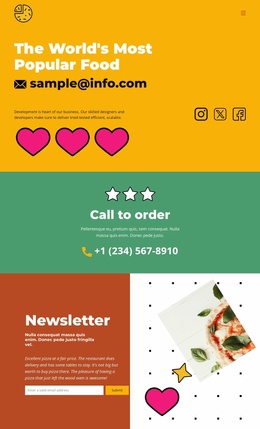
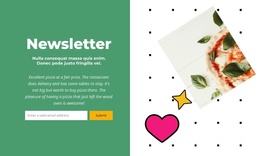
The left panel groups the block’s most direct informational content: the “Newsletter” heading, supporting subheading, descriptive paragraph, and horizontal email form. One email input and one Submit control make the section’s purpose easy to understand as a request for an email subscription. The green background visually contains that message and action, so the form reads as a stable content area rather than an isolated control.
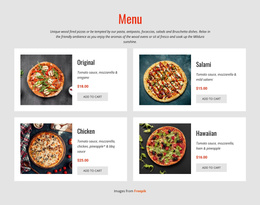
The white right panel contributes a different kind of information. A tilted pizza photograph, patterned treatment, star, and heart graphics establish the food context without adding another text-heavy content group. This balance is useful for a Joomla-managed page because the section can present structured newsletter information while retaining a distinctive visual region for the subject matter. The two halves remain connected through their pizza theme but do not compete for the same reading task.
Within a broader Joomla project, this block can serve as a reusable newsletter or subscription region on a food-oriented page. The surrounding site can manage other editorial content and page areas separately, while this section keeps its own heading, email response path, and image relationship. Its value lies in providing one defined content region with a visible function and a consistent visual boundary.
Customize with Nicepage
Open this ready-made template in the Joomla Page Builder and customize it visually in the Nicepage editor. Replace demo content, edit page sections, and adapt the design to your project without rebuilding the template from scratch.
Edit Template Offline
2. Create a new page or select existing
3. Click Add new block, search for id 6196090 and click enter
Edit Template Online
Create Awesome Websites


Free Nicepage Builder
Keywords
Work With This Template in Joomla
Customize and Install the Joomla Template
Start with this ready-made template instead of building the Joomla design from scratch. Customize its layout, content, typography, images, sections, and other design elements visually in the Nicepage application, then export and install the Joomla Template, Nicepage Extension, and supported content on your Joomla website.
Edit the Template Directly in Joomla
After installation, you can edit the Joomla Template directly in Joomla with the Nicepage Joomla Extension. Customize the Header, Footer, Colors, Fonts, typography, and Page Templates from the Joomla workflow while keeping the site design connected with your CMS content.
Edit Joomla Articles Visually
Use the Nicepage Joomla Extension to open and edit Joomla Articles visually from the Joomla Administrator. Change text, images, sections, layouts, and other page content in the Nicepage editor while continuing to manage the Articles through Joomla.
Joomla Content and Template Integration
Use the customized template together with Joomla Articles, module Positions, menus, forms, Blog Pages, and other supported CMS elements. With the Nicepage Extension used as the Site Style Source, shared design settings can be applied across Joomla Articles while Joomla continues to provide the CMS environment for managing site content.
This workflow combines a ready-made Joomla Template with visual customization, direct template editing in Joomla, and continued content management through the Nicepage Joomla Extension.