Must try Joomla Template


Cuisine Information Creates a Structured Restaurant Content Region
The heading “European Cuisine World Tastes” gives the block a clear informational subject, while “Modern approach to classic recipes” frames the restaurant introduction through its cooking style. The descriptive paragraph adds supporting context, including sample wording about the restaurant being open for over 15 years. Beneath that text, the phone contact link creates a defined contact channel without changing the section into a full contact page.
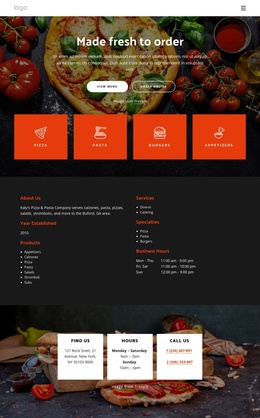
In a Joomla-managed project, this arrangement can function as a stable restaurant content region. The left side groups the cuisine heading, supporting line, description, and phone link into one structured information area. The right side provides three vertically arranged pizza images, giving the content a visual reference while keeping the written information readable. This is different from a general image gallery: the photographs support the introduction rather than becoming the block’s primary browsing interaction, and the confirmed interaction remains static.
The golden-orange background, black typography, green accents, and open spacing help the section retain a recognizable presentation when placed among other CMS-managed content areas. Joomla can provide the wider page and editorial environment, while this reusable block continues to communicate the restaurant’s cuisine and contact direction. Related menu, reservation, or location content can remain in neighboring sections rather than being inferred inside this one.
Customize with Nicepage
Open this ready-made template in the Joomla Page Builder and customize it visually in the Nicepage editor. Replace demo content, edit page sections, and adapt the design to your project without rebuilding the template from scratch.
Edit Template Offline
2. Create a new page or select existing
3. Click Add new block, search for id 6196076 and click enter
Edit Template Online
Create Awesome Websites


Free Nicepage Builder
Keywords
Work With This Template in Joomla
Customize and Install the Joomla Template
Start with this ready-made template instead of building the Joomla design from scratch. Customize its layout, content, typography, images, sections, and other design elements visually in the Nicepage application, then export and install the Joomla Template, Nicepage Extension, and supported content on your Joomla website.
Edit the Template Directly in Joomla
After installation, you can edit the Joomla Template directly in Joomla with the Nicepage Joomla Extension. Customize the Header, Footer, Colors, Fonts, typography, and Page Templates from the Joomla workflow while keeping the site design connected with your CMS content.
Edit Joomla Articles Visually
Use the Nicepage Joomla Extension to open and edit Joomla Articles visually from the Joomla Administrator. Change text, images, sections, layouts, and other page content in the Nicepage editor while continuing to manage the Articles through Joomla.
Joomla Content and Template Integration
Use the customized template together with Joomla Articles, module Positions, menus, forms, Blog Pages, and other supported CMS elements. With the Nicepage Extension used as the Site Style Source, shared design settings can be applied across Joomla Articles while Joomla continues to provide the CMS environment for managing site content.
This workflow combines a ready-made Joomla Template with visual customization, direct template editing in Joomla, and continued content management through the Nicepage Joomla Extension.