Mountains inspire me WordPress Theme


Mountain Topic Cards Work as Stable WordPress Page Content
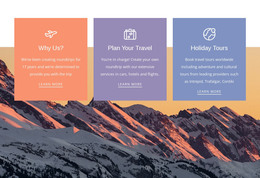
The section reads as a defined page-content area rather than a stream of changing entries. Its heading establishes the mountain travel subject, and the three repeated cards organize related information under “Vigorous Walk,” “Travel Notes,” and “Trail Guides.” Each card keeps the same relationship between image, title, and lower-aligned description, so the visual pattern remains consistent when the sample wording is replaced with finished content. The dark overlays and white type also help preserve the hierarchy across the three mountain photographs.
For a WordPress-managed page, this block can hold durable informational content such as topic introductions, walking notes, or guide categories. Its three-column arrangement gives the editor a clear way to maintain related subjects as one visual group, while the surrounding site can provide longer articles, navigation, and other page areas separately. The block does not need to behave like a feed to be useful: its strength is the stable grouping of three related content units under one statement. The grayscale treatment and generous white space make the section easy to align with a wider page style, while the distinct labels help readers understand the available content directions at a glance.
Customize with Nicepage
Open this ready-made template in the WordPress Website Builder and customize it visually in the Nicepage editor. Replace demo content, edit page sections, and adapt the design to your project without rebuilding the template from scratch.
Edit Template Offline
2. Create a new page or select existing
3. Click Add new block, search for id 892236 and click enter
Edit Template Online
Create Awesome Websites


Free Nicepage Builder
Keywords
Manage and Edit This Theme in WordPress
Customize and Install the WordPress Theme
Start with this ready-made theme instead of building the WordPress design from scratch. Customize its layout, content, typography, images, sections, and other design elements visually in Nicepage editor, then export and install the WordPress Theme, Plugin, and Pages on your WordPress site. The Nicepage WordPress Plugin lets you continue working with the site after installation.
Edit the Theme Directly in WordPress
After installation, you can edit the WordPress Theme directly in WordPress with the Nicepage WordPress Plugin. Use Site Style to customize site Colors, Fonts, Header, Footer, Blog, and Post Page Templates while working within your WordPress website.
Edit WordPress Pages Visually
Use the Nicepage WordPress Plugin to edit page content directly from the WordPress admin area. Open a WordPress Page with Nicepage and visually change its text, images, sections, and other page elements while continuing to manage the Page through WordPress.
WordPress Content and Theme Integration
Use the customized theme with WordPress Pages, Posts, Blog and Post Templates, menus, widgets, and other CMS-managed content. Shared theme elements such as Colors, Fonts, Header, Footer, Blog, and Post Page Templates can be managed as part of the overall site design, while WordPress provides the CMS environment for managing site content.
This workflow combines a ready-made WordPress Theme with visual customization, direct theme editing in WordPress, and continued content management through the Nicepage WordPress Plugin.