Cooking online courses WordPress Theme


The Numbered Lesson Row Works as Stable WordPress Page Content
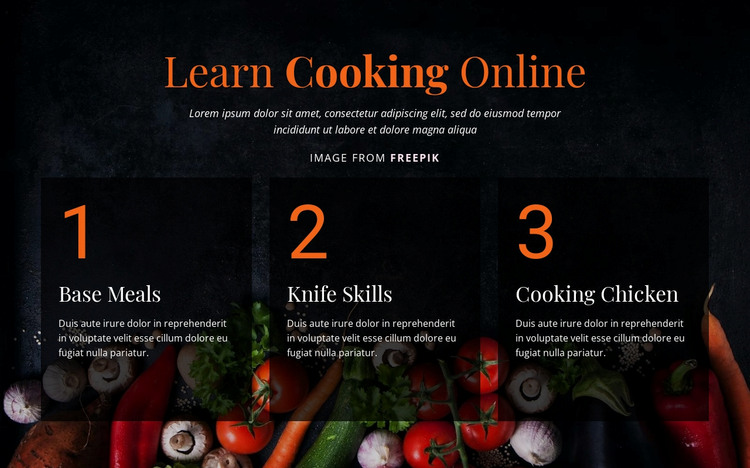
The centered “Learn Cooking Online” heading and introductory paragraph give the section a clear permanent subject before the three numbered cards provide its main page content. Base Meals, Knife Skills, and Cooking Chicken are presented as separate lesson units, allowing the block to function as a recognizable cooking-course area within a WordPress-managed page. Their horizontal arrangement emphasizes the relationship between the topics, while the numbering gives visitors a simple sequence to follow without requiring dynamic behavior inside the section.
The full-width food photograph establishes the visual setting for the lesson material. Over it, dark translucent cards create consistent reading surfaces, and orange numbered labels distinguish the sequence from the white titles and descriptions. This treatment makes the content suitable for a stable services-style or educational page area: the visual pattern can remain intact while the surrounding WordPress project provides adjacent information, such as broader introductions, instructor details, recipes, or registration guidance.
The block’s value in this context comes from its ready-organized content rather than from CMS-specific components. It supplies one publishable lesson group with a defined heading, three named topics, and a coherent visual presentation. A WordPress-oriented project can place this section alongside other page content while keeping its cooking-lesson message separate, legible, and easy to revisit as part of the wider site.
Customize with Nicepage
Open this ready-made template in the WordPress Website Builder and customize it visually in the Nicepage editor. Replace demo content, edit page sections, and adapt the design to your project without rebuilding the template from scratch.
Edit Template Offline
2. Create a new page or select existing
3. Click Add new block, search for id 80919 and click enter
Edit Template Online
Create Awesome Websites


Free Nicepage Builder
Keywords
Manage and Edit This Theme in WordPress
Customize and Install the WordPress Theme
Start with this ready-made theme instead of building the WordPress design from scratch. Customize its layout, content, typography, images, sections, and other design elements visually in Nicepage editor, then export and install the WordPress Theme, Plugin, and Pages on your WordPress site. The Nicepage WordPress Plugin lets you continue working with the site after installation.
Edit the Theme Directly in WordPress
After installation, you can edit the WordPress Theme directly in WordPress with the Nicepage WordPress Plugin. Use Site Style to customize site Colors, Fonts, Header, Footer, Blog, and Post Page Templates while working within your WordPress website.
Edit WordPress Pages Visually
Use the Nicepage WordPress Plugin to edit page content directly from the WordPress admin area. Open a WordPress Page with Nicepage and visually change its text, images, sections, and other page elements while continuing to manage the Page through WordPress.
WordPress Content and Theme Integration
Use the customized theme with WordPress Pages, Posts, Blog and Post Templates, menus, widgets, and other CMS-managed content. Shared theme elements such as Colors, Fonts, Header, Footer, Blog, and Post Page Templates can be managed as part of the overall site design, while WordPress provides the CMS environment for managing site content.
This workflow combines a ready-made WordPress Theme with visual customization, direct theme editing in WordPress, and continued content management through the Nicepage WordPress Plugin.