Creative agency contacts WordPress Theme


A Compact Contact Region for Stable Page Content
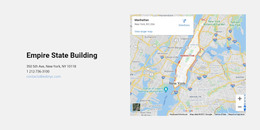
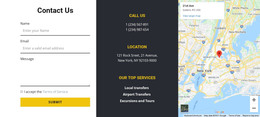
The centered card works well as a defined piece of permanent page content because its purpose is immediately recognizable: it groups an illustration with location and telephone information in one compact area. The light-gray rounded container creates a visual boundary, while the white background around it gives the section enough separation to stand on its own within a WordPress-managed page.
Its internal order also supports quick scanning. Visitors encounter the decorative illustration first, then move through the address and telephone contact before reaching the supporting paragraph. Dark text carries the main information, and the teal telephone accent distinguishes the direct link from the surrounding copy. Since the items are vertically stacked, the content relationship remains clear even when the card is positioned between other page sections.
In a wider WordPress project, this block can serve as stable contact content on a page while additional CMS-managed material handles services, articles, forms, or other site areas. The card can be updated with the project’s contact details without changing its core composition. That separation makes it useful as a focused page region: it communicates where to find the organization and how to call, while leaving the surrounding page responsible for broader navigation and content.
Customize with Nicepage
Open this ready-made template in the WordPress Website Builder and customize it visually in the Nicepage editor. Replace demo content, edit page sections, and adapt the design to your project without rebuilding the template from scratch.
Edit Template Offline
2. Create a new page or select existing
3. Click Add new block, search for id 777302 and click enter
Edit Template Online
Create Awesome Websites


Free Nicepage Builder
Keywords
Manage and Edit This Theme in WordPress
Customize and Install the WordPress Theme
Start with this ready-made theme instead of building the WordPress design from scratch. Customize its layout, content, typography, images, sections, and other design elements visually in Nicepage editor, then export and install the WordPress Theme, Plugin, and Pages on your WordPress site. The Nicepage WordPress Plugin lets you continue working with the site after installation.
Edit the Theme Directly in WordPress
After installation, you can edit the WordPress Theme directly in WordPress with the Nicepage WordPress Plugin. Use Site Style to customize site Colors, Fonts, Header, Footer, Blog, and Post Page Templates while working within your WordPress website.
Edit WordPress Pages Visually
Use the Nicepage WordPress Plugin to edit page content directly from the WordPress admin area. Open a WordPress Page with Nicepage and visually change its text, images, sections, and other page elements while continuing to manage the Page through WordPress.
WordPress Content and Theme Integration
Use the customized theme with WordPress Pages, Posts, Blog and Post Templates, menus, widgets, and other CMS-managed content. Shared theme elements such as Colors, Fonts, Header, Footer, Blog, and Post Page Templates can be managed as part of the overall site design, while WordPress provides the CMS environment for managing site content.
This workflow combines a ready-made WordPress Theme with visual customization, direct theme editing in WordPress, and continued content management through the Nicepage WordPress Plugin.