Business center contacts WordPress Theme


Form-Led Contact Content for a WordPress-Managed Page
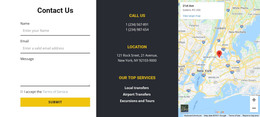
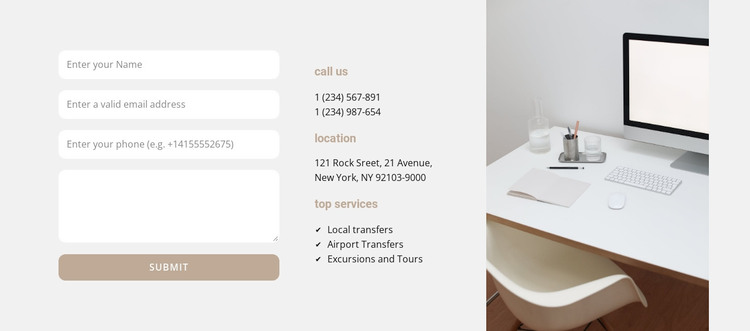
The contact form is the block’s primary content area, with separate name, email, phone, and message inputs leading to a Submit action. That form is balanced by the central information column, where “Call us” and “Location” groups provide direct contact context and “Top services” introduces Local transfers, Airport Transfers, and Excursions and Tours. The right column contains a vertically cropped office image, giving the section a visual anchor without adding another content workflow.
In a WordPress-managed project, this block can work as stable page content for a services or contact area. The form can remain the immediate response point, while the broader site supplies navigation, service detail, and any follow-up content around it. Because the information is grouped into a recognizable form column and a separate service/contact column, the section can be maintained as one coherent visual unit rather than treated as unrelated text and fields.
The light gray field, rounded white inputs, and muted beige labels create a restrained presentation for page content. Compact left alignment keeps labels and values easy to scan, while generous vertical spacing separates the contact groups. If the surrounding WordPress project changes its editorial content, the section can retain this structure and visual balance. Nicepage also documents editing a Nicepage theme directly in WordPress, which provides relevant context for maintaining the wider design around a reusable page section.
Customize with Nicepage
Open this ready-made template in the WordPress Website Builder and customize it visually in the Nicepage editor. Replace demo content, edit page sections, and adapt the design to your project without rebuilding the template from scratch.
Edit Template Offline
2. Create a new page or select existing
3. Click Add new block, search for id 719595 and click enter
Edit Template Online
Create Awesome Websites


Free Nicepage Builder
Keywords
Manage and Edit This Theme in WordPress
Customize and Install the WordPress Theme
Start with this ready-made theme instead of building the WordPress design from scratch. Customize its layout, content, typography, images, sections, and other design elements visually in Nicepage editor, then export and install the WordPress Theme, Plugin, and Pages on your WordPress site. The Nicepage WordPress Plugin lets you continue working with the site after installation.
Edit the Theme Directly in WordPress
After installation, you can edit the WordPress Theme directly in WordPress with the Nicepage WordPress Plugin. Use Site Style to customize site Colors, Fonts, Header, Footer, Blog, and Post Page Templates while working within your WordPress website.
Edit WordPress Pages Visually
Use the Nicepage WordPress Plugin to edit page content directly from the WordPress admin area. Open a WordPress Page with Nicepage and visually change its text, images, sections, and other page elements while continuing to manage the Page through WordPress.
WordPress Content and Theme Integration
Use the customized theme with WordPress Pages, Posts, Blog and Post Templates, menus, widgets, and other CMS-managed content. Shared theme elements such as Colors, Fonts, Header, Footer, Blog, and Post Page Templates can be managed as part of the overall site design, while WordPress provides the CMS environment for managing site content.
This workflow combines a ready-made WordPress Theme with visual customization, direct theme editing in WordPress, and continued content management through the Nicepage WordPress Plugin.