Stylist team WordPress Theme


Four Portraits Turn Page Content Into a Distinct Team Area
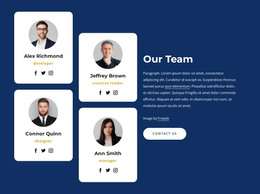
The four portraits provide stable visual content for a team section, but their arrangement gives the block more character than a simple set of equal profile cards. Three images form the upper row and a fourth sits below the center, producing an asymmetrical collage that can introduce people as a group before visitors read the accompanying text. The monochrome treatment unifies the portraits, while the white background leaves enough open space for the composition to remain clear.
The lower content area supports that visual introduction with a large serif heading labeled Team on the left and a smaller light-gray paragraph on the right of the lower portrait. The heading identifies the section quickly; the paragraph can carry a short explanation of the group without competing with the photographs. Above the collage, black and orange accent bars add a repeatable visual detail and help separate the portrait arrangement from the surrounding page content.
Within a WordPress-managed site, this block can function as permanent team information on a page, with the surrounding project providing other content areas as needed. Its reusable role comes from the compact combination of a group label, four portrait positions, and supporting copy. It should remain one page section rather than being treated as a complete WordPress Theme. Final team descriptions can replace the sample text while retaining the same visual relationship between people, heading, and explanation.
Customize with Nicepage
Open this ready-made template in the WordPress Website Builder and customize it visually in the Nicepage editor. Replace demo content, edit page sections, and adapt the design to your project without rebuilding the template from scratch.
Edit Template Offline
2. Create a new page or select existing
3. Click Add new block, search for id 664230 and click enter
Edit Template Online
Create Awesome Websites


Free Nicepage Builder
Keywords
Manage and Edit This Theme in WordPress
Customize and Install the WordPress Theme
Start with this ready-made theme instead of building the WordPress design from scratch. Customize its layout, content, typography, images, sections, and other design elements visually in Nicepage editor, then export and install the WordPress Theme, Plugin, and Pages on your WordPress site. The Nicepage WordPress Plugin lets you continue working with the site after installation.
Edit the Theme Directly in WordPress
After installation, you can edit the WordPress Theme directly in WordPress with the Nicepage WordPress Plugin. Use Site Style to customize site Colors, Fonts, Header, Footer, Blog, and Post Page Templates while working within your WordPress website.
Edit WordPress Pages Visually
Use the Nicepage WordPress Plugin to edit page content directly from the WordPress admin area. Open a WordPress Page with Nicepage and visually change its text, images, sections, and other page elements while continuing to manage the Page through WordPress.
WordPress Content and Theme Integration
Use the customized theme with WordPress Pages, Posts, Blog and Post Templates, menus, widgets, and other CMS-managed content. Shared theme elements such as Colors, Fonts, Header, Footer, Blog, and Post Page Templates can be managed as part of the overall site design, while WordPress provides the CMS environment for managing site content.
This workflow combines a ready-made WordPress Theme with visual customization, direct theme editing in WordPress, and continued content management through the Nicepage WordPress Plugin.