Free work WordPress Theme


The Laptop Scene Frames Stable Freelance Page Content
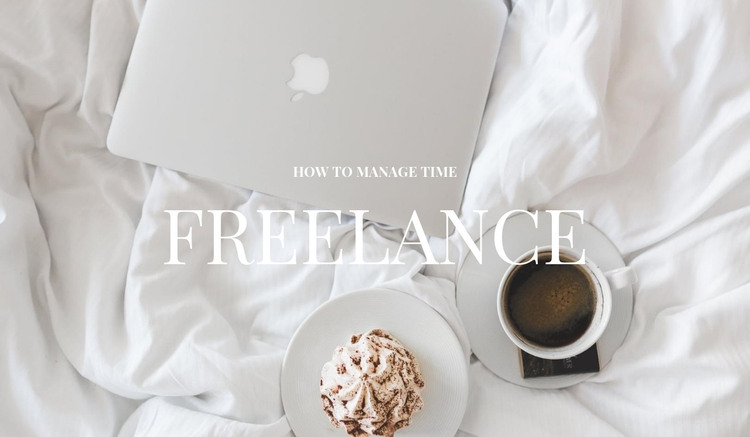
The laptop, coffee, and dessert photograph gives the section a specific visual setting for its two headings. “How to manage time” acts as the introductory label, and “Freelance” supplies the dominant page-topic cue. Centering both lines over the full-width image makes the block read as one deliberate opening rather than a loose combination of a title and a separate media panel. The larger serif heading carries the strongest emphasis, while the smaller eyebrow provides context immediately above it.
That arrangement suits page-oriented content because it can identify a stable subject before the reader reaches supporting copy. The image remains calm and spacious, with white bedding and soft neutral tones creating contrast for the white lettering. Generous vertical spacing prevents the hierarchy from feeling crowded, and the static presentation keeps attention on the subject rather than on controls or changing states. No additional component is needed for the section to perform its introductory role.
In a WordPress-managed project, this block can serve as the visual opening of a permanent page section about freelance work and time management. Other CMS-managed content may follow with explanations, resources, or related sections, while this hero retains the same heading relationship and image-led identity. The block contributes publishable page content without becoming the entire theme or page structure.
Customize with Nicepage
Open this ready-made template in the WordPress Website Builder and customize it visually in the Nicepage editor. Replace demo content, edit page sections, and adapt the design to your project without rebuilding the template from scratch.
Edit Template Offline
2. Create a new page or select existing
3. Click Add new block, search for id 655984 and click enter
Edit Template Online
Create Awesome Websites


Free Nicepage Builder
Keywords
Manage and Edit This Theme in WordPress
Customize and Install the WordPress Theme
Start with this ready-made theme instead of building the WordPress design from scratch. Customize its layout, content, typography, images, sections, and other design elements visually in Nicepage editor, then export and install the WordPress Theme, Plugin, and Pages on your WordPress site. The Nicepage WordPress Plugin lets you continue working with the site after installation.
Edit the Theme Directly in WordPress
After installation, you can edit the WordPress Theme directly in WordPress with the Nicepage WordPress Plugin. Use Site Style to customize site Colors, Fonts, Header, Footer, Blog, and Post Page Templates while working within your WordPress website.
Edit WordPress Pages Visually
Use the Nicepage WordPress Plugin to edit page content directly from the WordPress admin area. Open a WordPress Page with Nicepage and visually change its text, images, sections, and other page elements while continuing to manage the Page through WordPress.
WordPress Content and Theme Integration
Use the customized theme with WordPress Pages, Posts, Blog and Post Templates, menus, widgets, and other CMS-managed content. Shared theme elements such as Colors, Fonts, Header, Footer, Blog, and Post Page Templates can be managed as part of the overall site design, while WordPress provides the CMS environment for managing site content.
This workflow combines a ready-made WordPress Theme with visual customization, direct theme editing in WordPress, and continued content management through the Nicepage WordPress Plugin.