Valentines day sale WordPress Theme


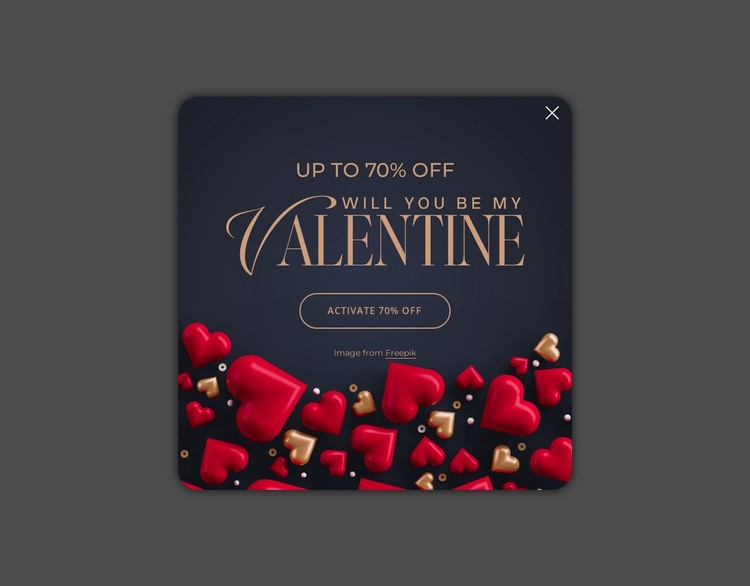
A publishable promotional region for a WordPress page
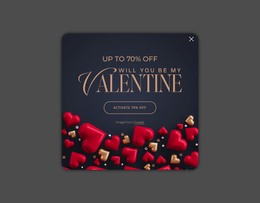
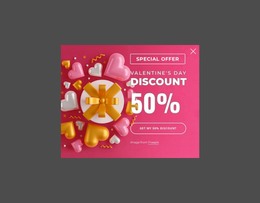
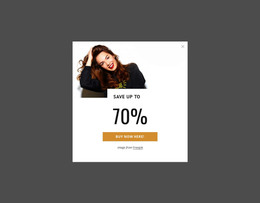
The modal’s content reads as a stable promotional region rather than a general site structure. The “Up to 70% Off” headline states the offer shown by the design, the heart artwork and “Will You Be My Valentine” phrase establish its seasonal context, and the “Activate 70% Off” button gives the visitor one defined response point. The upper-right close control completes the dismissible behavior, while the navy card and dimmed backdrop separate the promotion from the page content behind it.
In a WordPress-oriented project, this block can participate as visual page content placed within a broader managed site. The surrounding project can determine when the seasonal message is displayed, what destination the action uses, and how the promotion relates to other content. Those page-level relationships are separate from the block itself, which remains a compact card with its own message, artwork, action, and exit control. The sample offer wording can also be replaced when the campaign changes without losing the section’s structure.
Nicepage’s WordPress workflow can support editing page content within a wider theme and plugin environment, but the modal should not be treated as a standalone WordPress Theme. Its practical role is narrower and more concrete: a reusable promotional area that can be coordinated with permanent page content, seasonal campaigns, or other CMS-managed sections while preserving the visual hierarchy of the card.
Customize with Nicepage
Open this ready-made template in the WordPress Website Builder and customize it visually in the Nicepage editor. Replace demo content, edit page sections, and adapt the design to your project without rebuilding the template from scratch.
Edit Template Offline
2. Create a new page or select existing
3. Click Add new block, search for id 6548451 and click enter
Edit Template Online
Create Awesome Websites


Free Nicepage Builder
Keywords
Manage and Edit This Theme in WordPress
Customize and Install the WordPress Theme
Start with this ready-made theme instead of building the WordPress design from scratch. Customize its layout, content, typography, images, sections, and other design elements visually in Nicepage editor, then export and install the WordPress Theme, Plugin, and Pages on your WordPress site. The Nicepage WordPress Plugin lets you continue working with the site after installation.
Edit the Theme Directly in WordPress
After installation, you can edit the WordPress Theme directly in WordPress with the Nicepage WordPress Plugin. Use Site Style to customize site Colors, Fonts, Header, Footer, Blog, and Post Page Templates while working within your WordPress website.
Edit WordPress Pages Visually
Use the Nicepage WordPress Plugin to edit page content directly from the WordPress admin area. Open a WordPress Page with Nicepage and visually change its text, images, sections, and other page elements while continuing to manage the Page through WordPress.
WordPress Content and Theme Integration
Use the customized theme with WordPress Pages, Posts, Blog and Post Templates, menus, widgets, and other CMS-managed content. Shared theme elements such as Colors, Fonts, Header, Footer, Blog, and Post Page Templates can be managed as part of the overall site design, while WordPress provides the CMS environment for managing site content.
This workflow combines a ready-made WordPress Theme with visual customization, direct theme editing in WordPress, and continued content management through the Nicepage WordPress Plugin.