Solutions Through Smart Science WordPress Theme


Edit Template Offline
2. Create new page and search for id 6529341
Edit Template Online
Create Awesome Websites


Free Nicepage Builder
Keywords
Capability and Team Content Give the Theme a Publishable Structure
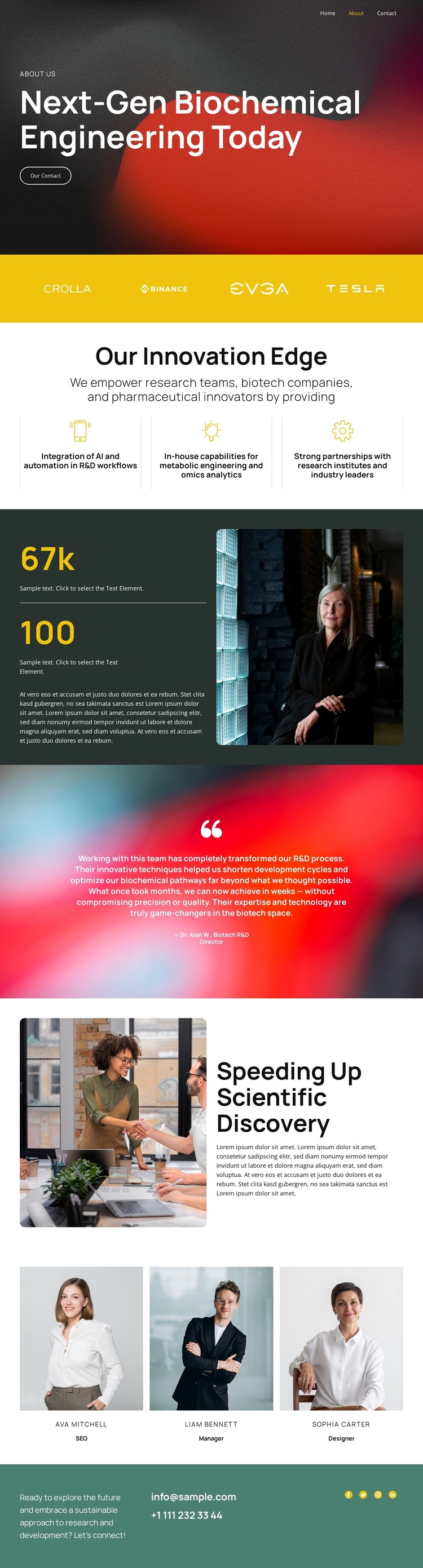
The three innovation capabilities provide the strongest page-oriented content structure in this design. They describe AI and automation for R&D workflows, metabolic engineering and omics analytics, and partnerships with research institutes and industry leaders. These distinct areas can serve as durable informational content, while the opening hero frames them with the broader message “Next-Gen Biochemical Engineering Today.” The result is a theme layout that can support both a company introduction and more detailed page content as the project develops.
The logo strip, testimonial, and team section create additional repeatable content relationships. The logo row can present partner or client references, the testimonial area can hold replaceable research-outcome commentary, and the three portrait panels can represent current team members and roles. Sample figures, names, contact values, and testimonial text in the source should remain editable placeholders rather than being treated as verified company information. This distinction is important when adapting the theme for real WordPress content.
The research photograph and split discovery section give longer explanatory content a visual setting, while the footer consolidates the practical site elements: an invitation, email, telephone, and social links. In a WordPress project, the design can therefore accommodate permanent company information alongside content that may be updated over time, without reducing the page to a generic blog layout. Its visual system keeps those different content areas recognizably connected.
Customize with Nicepage
Open this ready-made template in the WordPress Website Builder and customize it visually in the Nicepage editor. Replace demo content, edit page sections, and adapt the design to your project without rebuilding the template from scratch.
Manage and Edit This Theme in WordPress
Customize and Install the WordPress Theme
Start with this ready-made theme instead of building the WordPress design from scratch. Customize its layout, content, typography, images, sections, and other design elements visually in Nicepage editor, then export and install the WordPress Theme, Plugin, and Pages on your WordPress site. The Nicepage WordPress Plugin lets you continue working with the site after installation.
Edit the Theme Directly in WordPress
After installation, you can edit the WordPress Theme directly in WordPress with the Nicepage WordPress Plugin. Use Site Style to customize site Colors, Fonts, Header, Footer, Blog, and Post Page Templates while working within your WordPress website.
Edit WordPress Pages Visually
Use the Nicepage WordPress Plugin to edit page content directly from the WordPress admin area. Open a WordPress Page with Nicepage and visually change its text, images, sections, and other page elements while continuing to manage the Page through WordPress.
WordPress Content and Theme Integration
Use the customized theme with WordPress Pages, Posts, Blog and Post Templates, menus, widgets, and other CMS-managed content. Shared theme elements such as Colors, Fonts, Header, Footer, Blog, and Post Page Templates can be managed as part of the overall site design, while WordPress provides the CMS environment for managing site content.
This workflow combines a ready-made WordPress Theme with visual customization, direct theme editing in WordPress, and continued content management through the Nicepage WordPress Plugin.