Smart insurance WordPress Theme


Permanent Coverage Content With a Practical Activation Sequence
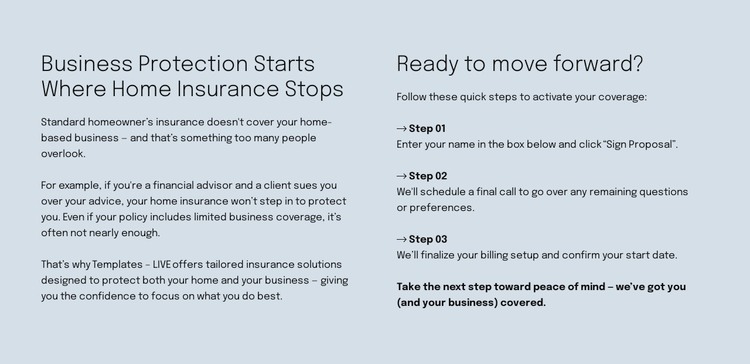
The section’s left column is well suited to stable page content because it explains a lasting coverage distinction rather than presenting a time-sensitive update. “Business Protection Starts Where Home Insurance Stops” frames the subject, and the supporting paragraphs explain why a home-based business may require more tailored protection than standard homeowner insurance provides. The financial advisor and client lawsuit scenario gives readers a concrete reason to consider that distinction.
The right column adds an operational sequence without changing the block into a separate form or application. Under “Ready to move forward?”, three numbered steps guide the reader from the initial instruction to later completion. Step 01 refers to entering a name and clicking “Sign Proposal,” while the final step covers billing setup and confirmation of a start date. The closing reassurance gives the sequence a clear finish and keeps the process visually connected to the coverage explanation.
Within a WordPress-oriented project, this block can remain a reusable page section for insurance information while surrounding content is maintained elsewhere in the site. Its pale blue-gray background, dark typography, two-column arrangement, and open spacing preserve the intended presentation as content is placed alongside related service or contact areas. The key WordPress role is stable, publishable section content: a focused explanation and process pattern that can participate in a wider managed page without becoming a standalone theme.
Customize with Nicepage
Open this ready-made template in the WordPress Website Builder and customize it visually in the Nicepage editor. Replace demo content, edit page sections, and adapt the design to your project without rebuilding the template from scratch.
Edit Template Offline
2. Create a new page or select existing
3. Click Add new block, search for id 6507748 and click enter
Edit Template Online
Create Awesome Websites


Free Nicepage Builder
Keywords
Manage and Edit This Theme in WordPress
Customize and Install the WordPress Theme
Start with this ready-made theme instead of building the WordPress design from scratch. Customize its layout, content, typography, images, sections, and other design elements visually in Nicepage editor, then export and install the WordPress Theme, Plugin, and Pages on your WordPress site. The Nicepage WordPress Plugin lets you continue working with the site after installation.
Edit the Theme Directly in WordPress
After installation, you can edit the WordPress Theme directly in WordPress with the Nicepage WordPress Plugin. Use Site Style to customize site Colors, Fonts, Header, Footer, Blog, and Post Page Templates while working within your WordPress website.
Edit WordPress Pages Visually
Use the Nicepage WordPress Plugin to edit page content directly from the WordPress admin area. Open a WordPress Page with Nicepage and visually change its text, images, sections, and other page elements while continuing to manage the Page through WordPress.
WordPress Content and Theme Integration
Use the customized theme with WordPress Pages, Posts, Blog and Post Templates, menus, widgets, and other CMS-managed content. Shared theme elements such as Colors, Fonts, Header, Footer, Blog, and Post Page Templates can be managed as part of the overall site design, while WordPress provides the CMS environment for managing site content.
This workflow combines a ready-made WordPress Theme with visual customization, direct theme editing in WordPress, and continued content management through the Nicepage WordPress Plugin.