New technologies WordPress Theme



A Publishable Smartphone Feature Area for WordPress Pages
The product message is concentrated into one recognizable page section: a left-aligned headline, a centered photographic subject, and right-aligned supporting content. The phrase “Just the right amount of everything.” gives the block a broad introduction, while the accompanying copy supplies specific smartphone themes—dual-camera capability, a dedicated chip, all-day battery life, and high-quality video. Because the person holding the phone overlaps the text areas, the image connects the headline with the feature explanation instead of behaving like a separate illustration.
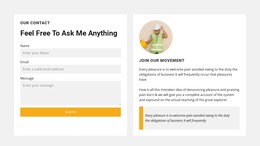
The “read more” link creates a further information path, and the name-entry form with its submit action adds a direct contact point. For a WordPress-managed page, these elements can be retained as stable page content within a technology-focused section. The surrounding project can handle other pages or regularly updated material, while this block continues to present the core smartphone introduction and inquiry opportunity.
The arrangement is useful when a WordPress page needs more than a plain text feature panel: it combines product context, a strong photographic center, and a compact response area without expanding beyond one section. Content editors can work around this area in the wider site, but the block itself remains a bounded visual and informational unit rather than a complete WordPress theme.
Customize with Nicepage
Open this ready-made template in the WordPress Website Builder and customize it visually in the Nicepage editor. Replace demo content, edit page sections, and adapt the design to your project without rebuilding the template from scratch.
Edit Template Offline
2. Create a new page or select existing
3. Click Add new block, search for id 64413 and click enter
Edit Template Online
Create Awesome Websites


Free Nicepage Builder
Keywords
Manage and Edit This Theme in WordPress
Customize and Install the WordPress Theme
Start with this ready-made theme instead of building the WordPress design from scratch. Customize its layout, content, typography, images, sections, and other design elements visually in Nicepage editor, then export and install the WordPress Theme, Plugin, and Pages on your WordPress site. The Nicepage WordPress Plugin lets you continue working with the site after installation.
Edit the Theme Directly in WordPress
After installation, you can edit the WordPress Theme directly in WordPress with the Nicepage WordPress Plugin. Use Site Style to customize site Colors, Fonts, Header, Footer, Blog, and Post Page Templates while working within your WordPress website.
Edit WordPress Pages Visually
Use the Nicepage WordPress Plugin to edit page content directly from the WordPress admin area. Open a WordPress Page with Nicepage and visually change its text, images, sections, and other page elements while continuing to manage the Page through WordPress.
WordPress Content and Theme Integration
Use the customized theme with WordPress Pages, Posts, Blog and Post Templates, menus, widgets, and other CMS-managed content. Shared theme elements such as Colors, Fonts, Header, Footer, Blog, and Post Page Templates can be managed as part of the overall site design, while WordPress provides the CMS environment for managing site content.
This workflow combines a ready-made WordPress Theme with visual customization, direct theme editing in WordPress, and continued content management through the Nicepage WordPress Plugin.