Effective SEO Website Template


A Reusable Recognition Section for Broader Website Projects
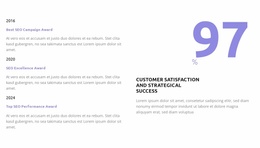
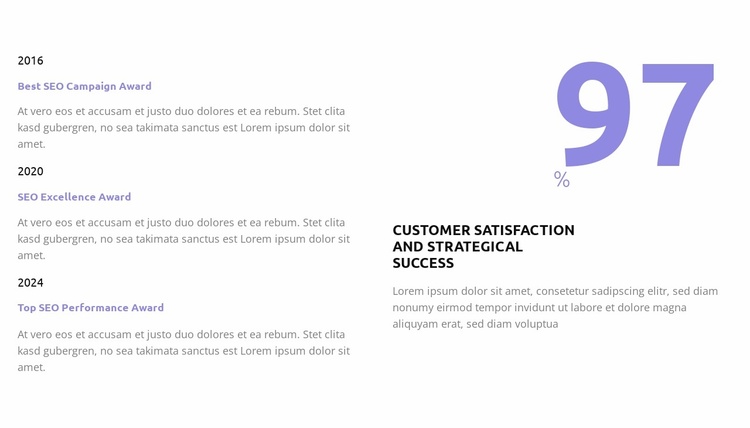
This block establishes a repeatable website content role: it presents recognition milestones alongside a concise performance summary. The left column contains three dated entries from 2016, 2020, and 2024, using Best SEO Campaign Award, SEO Excellence Award, and Top SEO Performance Award as the main labels. Because each entry follows the same year, title, and description pattern, the region can remain a coherent awards area even when it is placed among different neighboring sections.
The right column supplies a separate summary role through the large 97% figure, the “Customer satisfaction and strategical success” label, and its supporting paragraph. The number is sample content within the design, so its structural value is the way it concentrates attention beside the more detailed list. This pairing can help a broader project distinguish recognition history from a headline outcome without requiring another block to combine those functions.
Inside a website-template project, the section could support a mid-page awards, results, or credibility area while other blocks handle introductions, service details, case studies, and contact content. Its spacious two-column layout and muted purple emphasis can also provide a recurring visual reference for related sections. The block remains one reusable building unit; the wider project determines how often this content role appears and what surrounds it.
Customize with Nicepage
Open this ready-made template in the Website Template Builder and customize it visually in the Nicepage editor. Replace demo content, edit page sections, and adapt the design to your project without rebuilding the template from scratch.
Edit Template Offline
2. Create a new page or select existing
3. Click Add new block, search for id 6355277 and click enter
Edit Template Online
Create Awesome Websites


Free Nicepage Builder
Keywords
Build a Complete Website From This Template
Customize the Website Visually
Use this ready-made website template as a starting point for your project and adapt its pages visually in Nicepage. Change content, images, typography, navigation, sections, and other design elements while keeping the website together as a single editable project.
Manage Website Pages in One Project
Use the Pages panel to open, add, duplicate, and manage the pages of your website. Work on individual pages while keeping navigation and the overall site structure accessible from the same project, making it easier to develop a complete website instead of managing separate page files.
Expand the Website With Matching Designs
When you need additional pages or sections, use Page Design Sets to find Page and Block Designs created in the same visual style. Design Sets group matching designs together, making it easier to expand the website with new content while maintaining a consistent look across its pages and sections.
Organize Larger Multi-Page Websites
As the website grows, use Page Folders to organize related pages and keep larger multi-page projects easier to navigate in the editor. This is especially useful for websites with separate service pages, company information, contacts, landing pages, and other content areas.
This workflow makes the template a practical foundation for building and expanding a complete website while managing its pages, content, and visual design within one Nicepage project.