The paleo diet WordPress Theme


The White Nutrition Card Keeps Stable Page Content Visually Distinct
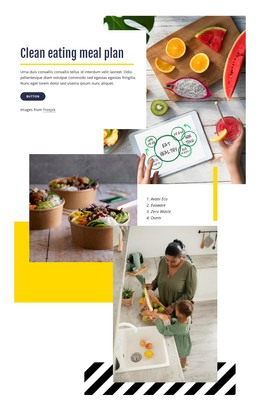
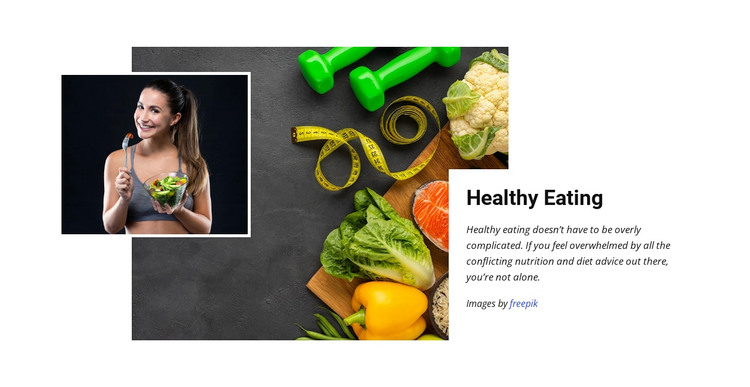
The Healthy Eating heading and its supporting paragraph read as durable informational content rather than a temporary interface message. The paragraph addresses the confusion surrounding conflicting nutrition and diet advice, while the adjacent image composition gives that subject a visual context through vegetables, measuring equipment, and exercise weights. A smaller portrait of a woman holding a bowl of salad overlaps the larger image, creating a human focus that supports the topic without turning the section into a profile or testimonial component.
The white card on the right keeps the written material separate from the darker food-and-fitness imagery on the left. That contrast gives the section a dependable reading area for a WordPress-managed page, where the surrounding project may contain other content regions and page functions. The image credit line remains attached to the visual presentation and should stay visible when the content is adapted. In a WordPress Theme context, this block can serve as a reusable nutrition or healthy-lifestyle section within permanent page content. It does not need to carry navigation, site-wide structure, or a complete page role. Instead, its value is the stable relationship between a named topic, explanatory copy, and two clearly coordinated images, allowing the same section design to support a broader collection of managed page content.
Customize with Nicepage
Open this ready-made template in the WordPress Website Builder and customize it visually in the Nicepage editor. Replace demo content, edit page sections, and adapt the design to your project without rebuilding the template from scratch.
Edit Template Offline
2. Create a new page or select existing
3. Click Add new block, search for id 63385 and click enter
Edit Template Online
Create Awesome Websites


Free Nicepage Builder
Keywords
Manage and Edit This Theme in WordPress
Customize and Install the WordPress Theme
Start with this ready-made theme instead of building the WordPress design from scratch. Customize its layout, content, typography, images, sections, and other design elements visually in Nicepage editor, then export and install the WordPress Theme, Plugin, and Pages on your WordPress site. The Nicepage WordPress Plugin lets you continue working with the site after installation.
Edit the Theme Directly in WordPress
After installation, you can edit the WordPress Theme directly in WordPress with the Nicepage WordPress Plugin. Use Site Style to customize site Colors, Fonts, Header, Footer, Blog, and Post Page Templates while working within your WordPress website.
Edit WordPress Pages Visually
Use the Nicepage WordPress Plugin to edit page content directly from the WordPress admin area. Open a WordPress Page with Nicepage and visually change its text, images, sections, and other page elements while continuing to manage the Page through WordPress.
WordPress Content and Theme Integration
Use the customized theme with WordPress Pages, Posts, Blog and Post Templates, menus, widgets, and other CMS-managed content. Shared theme elements such as Colors, Fonts, Header, Footer, Blog, and Post Page Templates can be managed as part of the overall site design, while WordPress provides the CMS environment for managing site content.
This workflow combines a ready-made WordPress Theme with visual customization, direct theme editing in WordPress, and continued content management through the Nicepage WordPress Plugin.