Creative direction and production WordPress Theme


A Structured Capability Area for WordPress-Managed Page Content
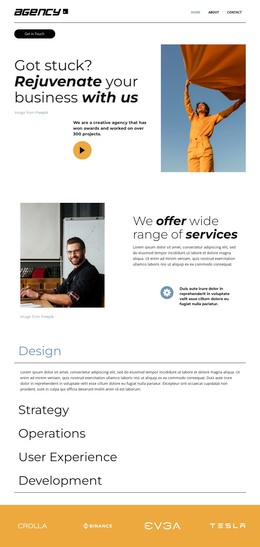
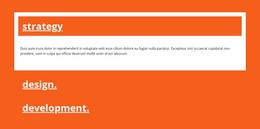
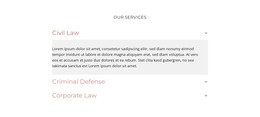
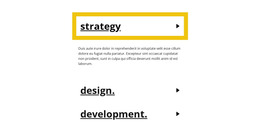
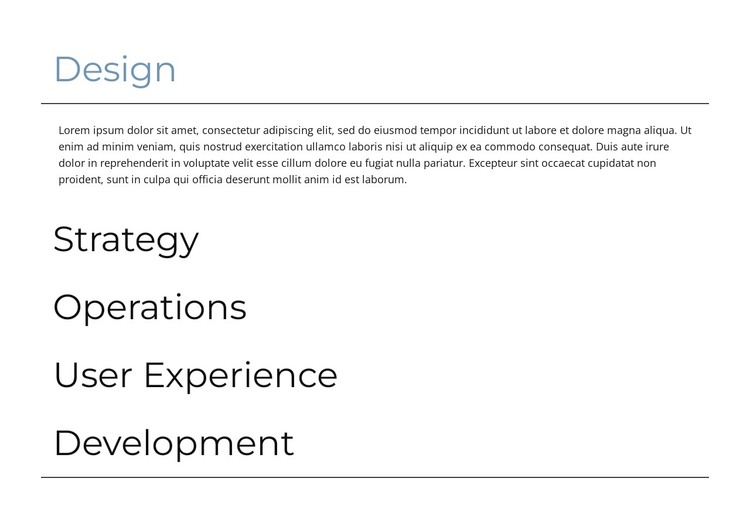
The five category labels make this block suitable for stable, page-oriented service content in a WordPress-managed site. Design, Strategy, Operations, User Experience, and Development are not presented as unrelated cards; they form one grouped capability area, with each label connected to its own descriptive paragraph. The vertical accordion keeps that relationship compact, allowing the page to expose one explanation at a time while retaining the full category list in view.
Design is open by default in the supplied rendering, giving the section an immediate content state. The four collapsed categories remain readable through their large labels and are separated by thin horizontal rules. This makes the block practical for a services page or another permanent content area where visitors may want to compare several offerings without moving through five long text panels. The single-column structure also gives the section a predictable boundary within the surrounding page layout.
In a WordPress-oriented project, the block can remain a reusable visual section while the wider site manages other pages and editorial content separately. The restrained white styling, dark labels, and muted blue-gray active state provide a stable presentation for the capability categories, but they do not require the surrounding site to adopt the block as a complete theme. Its value lies in organizing related information clearly inside one managed page area.
Customize with Nicepage
Open this ready-made template in the WordPress Website Builder and customize it visually in the Nicepage editor. Replace demo content, edit page sections, and adapt the design to your project without rebuilding the template from scratch.
Edit Template Offline
2. Create a new page or select existing
3. Click Add new block, search for id 6249663 and click enter
Edit Template Online
Create Awesome Websites


Free Nicepage Builder
Keywords
Manage and Edit This Theme in WordPress
Customize and Install the WordPress Theme
Start with this ready-made theme instead of building the WordPress design from scratch. Customize its layout, content, typography, images, sections, and other design elements visually in Nicepage editor, then export and install the WordPress Theme, Plugin, and Pages on your WordPress site. The Nicepage WordPress Plugin lets you continue working with the site after installation.
Edit the Theme Directly in WordPress
After installation, you can edit the WordPress Theme directly in WordPress with the Nicepage WordPress Plugin. Use Site Style to customize site Colors, Fonts, Header, Footer, Blog, and Post Page Templates while working within your WordPress website.
Edit WordPress Pages Visually
Use the Nicepage WordPress Plugin to edit page content directly from the WordPress admin area. Open a WordPress Page with Nicepage and visually change its text, images, sections, and other page elements while continuing to manage the Page through WordPress.
WordPress Content and Theme Integration
Use the customized theme with WordPress Pages, Posts, Blog and Post Templates, menus, widgets, and other CMS-managed content. Shared theme elements such as Colors, Fonts, Header, Footer, Blog, and Post Page Templates can be managed as part of the overall site design, while WordPress provides the CMS environment for managing site content.
This workflow combines a ready-made WordPress Theme with visual customization, direct theme editing in WordPress, and continued content management through the Nicepage WordPress Plugin.