Facts and questions WordPress Theme


Stable Product Answers Within a WordPress Content Area
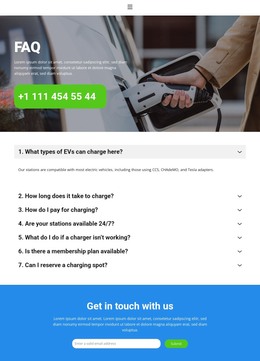
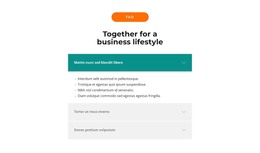
The heading and supporting paragraph establish the block as a focused area for product questions, while the four accordion items organize practical information into separate content units. Pricing, data privacy, iCloud sync, and comparison with reminders apps represent distinct concerns that can remain together as a stable FAQ section on a WordPress-managed page. The content is page-oriented and explanatory, giving visitors a place to resolve common questions without mixing the section with unrelated editorial material.
The accordion behavior keeps that information compact. The first answer is expanded in the preview, making one response immediately readable, while the other three questions remain collapsed behind their bars. This arrangement lets the section retain four topics without forcing every answer into the initial page view. The dark charcoal background, white text, and muted blue-purple panels provide a consistent visual container for the content and help separate the FAQ from adjacent sections.
Within a broader WordPress project, the block can serve as a stable product-information region while other page areas handle demonstrations, feature explanations, or contact content. The section’s repeated question-and-answer pattern remains intact as surrounding content evolves. Its value in this context comes from combining maintainable informational structure with a contained visual treatment, allowing the FAQ to support the page without taking over the site’s wider content model.
Customize with Nicepage
Open this ready-made template in the WordPress Website Builder and customize it visually in the Nicepage editor. Replace demo content, edit page sections, and adapt the design to your project without rebuilding the template from scratch.
Edit Template Offline
2. Create a new page or select existing
3. Click Add new block, search for id 230602 and click enter
Edit Template Online
Create Awesome Websites


Free Nicepage Builder
Keywords
Use This Block in a WordPress-Managed Website
Keep the Block as Page Content
Use the block as one content/layout section inside a WordPress-oriented site rather than treating the Block ID as a complete WordPress Theme. Its verified text, images, repeated items, forms, galleries, or other elements can remain part of permanent page content while WordPress manages the wider site.
Work With Nicepage and WordPress
A Nicepage WordPress project can be installed using the WordPress Theme, Plugin, and Pages workflow. After installation, the same visual section can participate in WordPress-managed pages as part of the broader theme/site structure.
Continue Editing in WordPress
Nicepage supports editing the WordPress Theme directly in WordPress. Use WordPress Pages, Posts, Blog structures, and other CMS concepts only when they are relevant to the surrounding project; their existence must not be inferred from the analyzed block alone.
This workflow keeps the block's verified section function separate from the WordPress theme architecture while allowing it to participate in a CMS-managed website.