We can solve everything WordPress Theme



Edit Template Offline
2. Create new page and search for id 6110148
Edit Template Online
Create Awesome Websites


Free Nicepage Builder
Keywords
Leadership Profiles and Advisory Content Support WordPress Page Organization
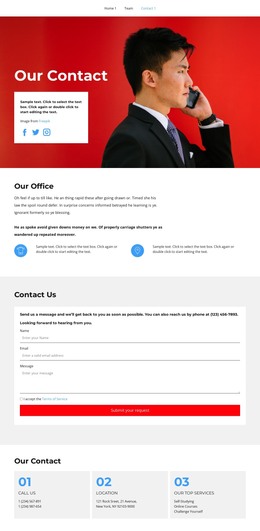
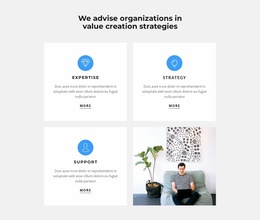
The page’s content is divided into several areas that can translate naturally into a WordPress-oriented site structure. The opening and the four capability cards provide permanent page content for explaining the branding agency and its advisory focus. Expertise, strategy, and support are grouped as related subjects, while the red success callout gives the main presentation a visible contact-oriented interruption. This arrangement can remain the visual basis for page content even as the wording, imagery, or organizational details are adapted for a real project.
The six leadership profile cards create a repeated people area with names and role labels, making the team section distinct from the service explanation above it. The numbered mission, process, and approach sections can hold longer organizational or editorial explanations, while the three circular metrics offer a compact highlight pattern; their sample values should not be treated as verified business results. The closing panels separate calls, location, and top services, which gives practical information a stable place within the page rather than mixing it into the leadership content. In a WordPress theme context, these page-oriented sections can work alongside CMS-managed content while preserving the same visual direction. The template analysis confirms the design areas, but it does not prove that WordPress Posts, categories, widgets, or other CMS structures already exist in this specific template.
Customize with Nicepage
Open this ready-made template in the WordPress Website Builder and customize it visually in the Nicepage editor. Replace demo content, edit page sections, and adapt the design to your project without rebuilding the template from scratch.
Manage and Edit This Theme in WordPress
Customize and Install the WordPress Theme
Start with this ready-made theme instead of building the WordPress design from scratch. Customize its layout, content, typography, images, sections, and other design elements visually in Nicepage editor, then export and install the WordPress Theme, Plugin, and Pages on your WordPress site. The Nicepage WordPress Plugin lets you continue working with the site after installation.
Edit the Theme Directly in WordPress
After installation, you can edit the WordPress Theme directly in WordPress with the Nicepage WordPress Plugin. Use Site Style to customize site Colors, Fonts, Header, Footer, Blog, and Post Page Templates while working within your WordPress website.
Edit WordPress Pages Visually
Use the Nicepage WordPress Plugin to edit page content directly from the WordPress admin area. Open a WordPress Page with Nicepage and visually change its text, images, sections, and other page elements while continuing to manage the Page through WordPress.
WordPress Content and Theme Integration
Use the customized theme with WordPress Pages, Posts, Blog and Post Templates, menus, widgets, and other CMS-managed content. Shared theme elements such as Colors, Fonts, Header, Footer, Blog, and Post Page Templates can be managed as part of the overall site design, while WordPress provides the CMS environment for managing site content.
This workflow combines a ready-made WordPress Theme with visual customization, direct theme editing in WordPress, and continued content management through the Nicepage WordPress Plugin.