We monitor your traffic and rankings WordPress Theme


Edit Template Offline
2. Create new page and search for id 6017157
Edit Template Online
Create Awesome Websites


Free Nicepage Builder
Keywords
Portfolio Entries Connect the Theme to Service Content
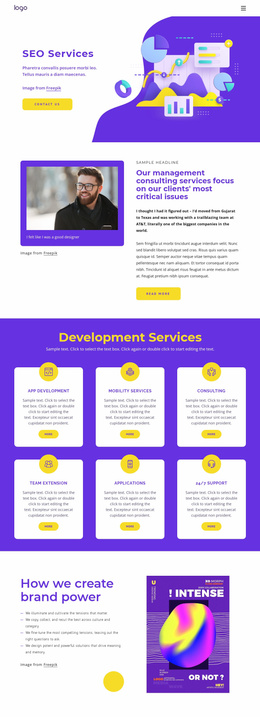
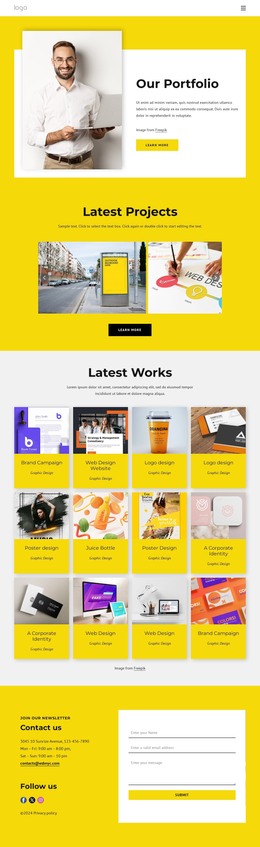
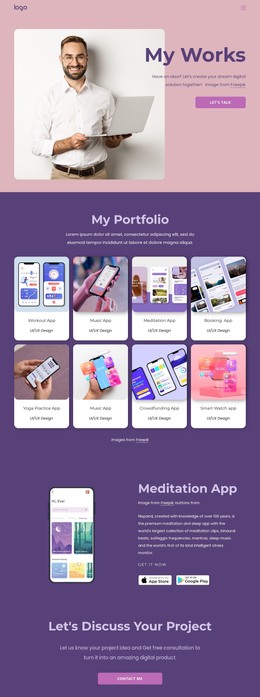
The six image-led case study cards provide a natural content center for a WordPress-managed business site because they separate recurring portfolio material from the introductory and contact regions. Their repeated presentation can accommodate individual case study titles and imagery while retaining the purple background and rounded visual treatment. Above them, the hero and three feature highlights establish the page's SEO and digital marketing context without depending on the portfolio cards alone.
The contact section gives the theme a second content role. Its yellow background groups SEO, Web Design, and Hosting with phone details, a New York location listing, three social links, and a contact form. This makes the lower region suitable for permanent service and company information, while the case study area can represent work examples or other regularly updated project content. The verified design does not prove that WordPress Posts, categories, or blog structures already exist, so those should be treated as possible content adaptations rather than existing template elements.
Primary navigation and the mobile-navigation affordance provide the shared site framework, and the dark footer closes the page with a stable theme region. The design therefore maps naturally to WordPress Pages and managed content through its separation of service information, portfolio evidence, social presence, and inquiry content, while keeping the original purple, white, and yellow identity intact.
Customize with Nicepage
Open this ready-made template in the WordPress Website Builder and customize it visually in the Nicepage editor. Replace demo content, edit page sections, and adapt the design to your project without rebuilding the template from scratch.
Manage and Edit This Theme in WordPress
Customize and Install the WordPress Theme
Start with this ready-made theme instead of building the WordPress design from scratch. Customize its layout, content, typography, images, sections, and other design elements visually in Nicepage editor, then export and install the WordPress Theme, Plugin, and Pages on your WordPress site. The Nicepage WordPress Plugin lets you continue working with the site after installation.
Edit the Theme Directly in WordPress
After installation, you can edit the WordPress Theme directly in WordPress with the Nicepage WordPress Plugin. Use Site Style to customize site Colors, Fonts, Header, Footer, Blog, and Post Page Templates while working within your WordPress website.
Edit WordPress Pages Visually
Use the Nicepage WordPress Plugin to edit page content directly from the WordPress admin area. Open a WordPress Page with Nicepage and visually change its text, images, sections, and other page elements while continuing to manage the Page through WordPress.
WordPress Content and Theme Integration
Use the customized theme with WordPress Pages, Posts, Blog and Post Templates, menus, widgets, and other CMS-managed content. Shared theme elements such as Colors, Fonts, Header, Footer, Blog, and Post Page Templates can be managed as part of the overall site design, while WordPress provides the CMS environment for managing site content.
This workflow combines a ready-made WordPress Theme with visual customization, direct theme editing in WordPress, and continued content management through the Nicepage WordPress Plugin.