Construction projects WordPress Theme


Stable Services Content for a WordPress-Managed Page
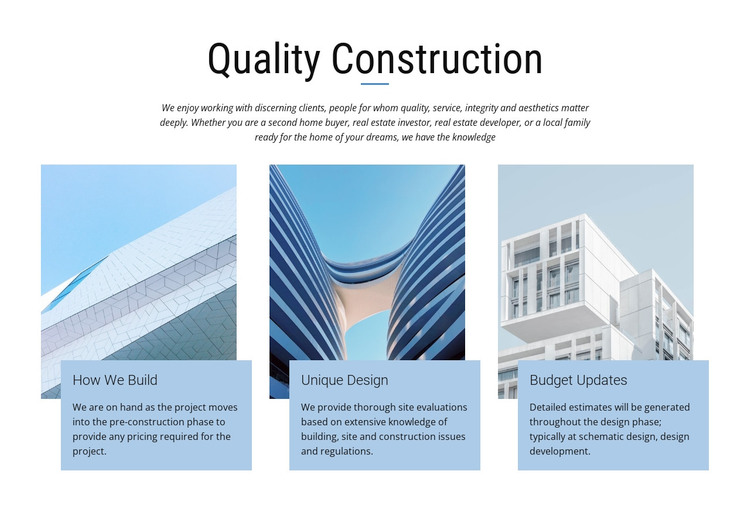
The centered “Quality Construction” heading and supporting paragraph provide stable introductory content, while the three cards turn that subject into separate capability areas. “How We Build” refers to pre-construction pricing, “Unique Design” discusses site evaluations and construction regulations, and “Budget Updates” covers estimates during schematic design and design development. Together, these areas read as enduring services information rather than a time-based announcement or isolated promotional message.
The repeated image-and-panel arrangement gives the content a consistent page section that can remain visually recognizable as the surrounding WordPress-managed project develops. Each architectural photograph is paired with a pale blue text panel overlapping its lower edge, so the relationship between image and description is part of the section’s presentation rather than an incidental collection of elements. The centered introduction also keeps the three capability cards connected to one construction-focused subject.
In a WordPress-oriented context, this block can participate as one reusable content area within a broader page or site. Other content can handle projects, contact details, company information, or additional service material, while this section remains focused on the three capabilities it presents. The block is therefore best understood as stable visual page content that fits a managed publishing environment, not as a standalone WordPress Theme or a complete site structure.
Customize with Nicepage
Open this ready-made template in the WordPress Website Builder and customize it visually in the Nicepage editor. Replace demo content, edit page sections, and adapt the design to your project without rebuilding the template from scratch.
Edit Template Offline
2. Create a new page or select existing
3. Click Add new block, search for id 57195 and click enter
Edit Template Online
Create Awesome Websites


Free Nicepage Builder
Keywords
Manage and Edit This Theme in WordPress
Customize and Install the WordPress Theme
Start with this ready-made theme instead of building the WordPress design from scratch. Customize its layout, content, typography, images, sections, and other design elements visually in Nicepage editor, then export and install the WordPress Theme, Plugin, and Pages on your WordPress site. The Nicepage WordPress Plugin lets you continue working with the site after installation.
Edit the Theme Directly in WordPress
After installation, you can edit the WordPress Theme directly in WordPress with the Nicepage WordPress Plugin. Use Site Style to customize site Colors, Fonts, Header, Footer, Blog, and Post Page Templates while working within your WordPress website.
Edit WordPress Pages Visually
Use the Nicepage WordPress Plugin to edit page content directly from the WordPress admin area. Open a WordPress Page with Nicepage and visually change its text, images, sections, and other page elements while continuing to manage the Page through WordPress.
WordPress Content and Theme Integration
Use the customized theme with WordPress Pages, Posts, Blog and Post Templates, menus, widgets, and other CMS-managed content. Shared theme elements such as Colors, Fonts, Header, Footer, Blog, and Post Page Templates can be managed as part of the overall site design, while WordPress provides the CMS environment for managing site content.
This workflow combines a ready-made WordPress Theme with visual customization, direct theme editing in WordPress, and continued content management through the Nicepage WordPress Plugin.