First Human On Mars WordPress Theme


Edit Template Offline
2. Create new page and search for id 14292
Edit Template Online
Create Awesome Websites


Free Nicepage Builder
Keywords
Editorial Story Areas Fit a Publishable Mars Content Structure
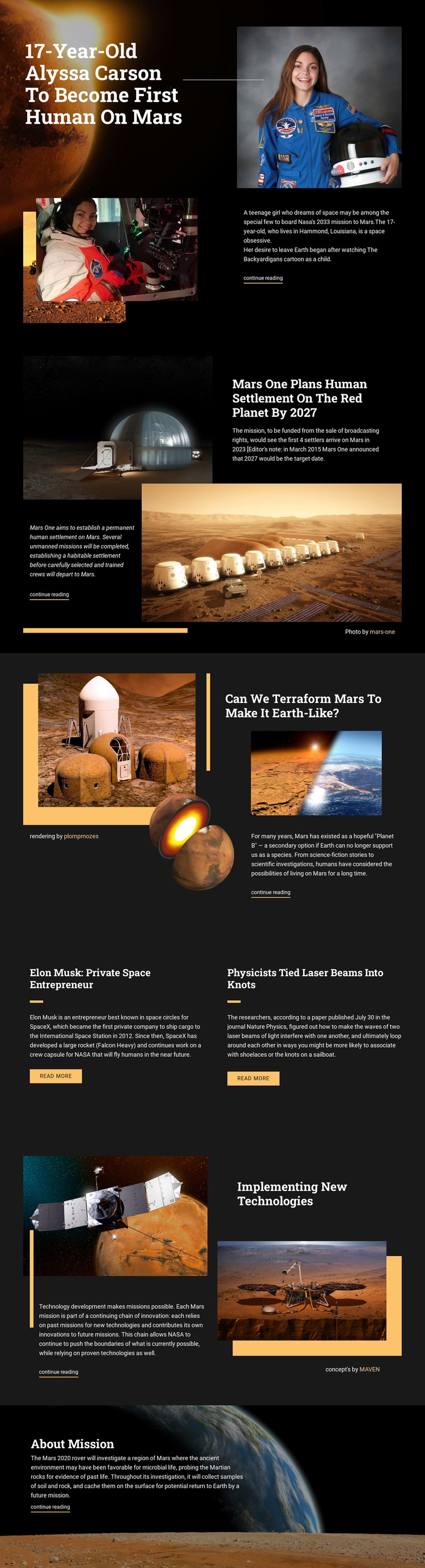
The page divides its material into durable content areas that can support a science-oriented publishing project. The Alyssa Carson feature provides a prominent page introduction, while the Mars One and terraforming sections offer separate subject areas with their own imagery, summaries, and continue-reading links. These relationships make the page suitable for content that needs to be expanded, replaced, or linked to more detailed stories rather than treated as one unchanging block of copy.
The two-item grid is particularly useful for repeated editorial content. Its matching panels give the Elon Musk and laser-beam research stories a shared presentation, but each retains an independent headline, summary, and read-more action. The technology section adds a mission-development topic, and the Mars 2020 closing feature gives the page a separate rover-oriented endpoint. Together, the regions cover people, proposals, research, technology, and missions without losing the visual continuity of the theme.
A WordPress project could interpret these areas as permanent page content and, if the editorial plan later requires it, surround them with regularly updated material. That is an adaptation path, not a claim that WordPress Posts, categories, or blog templates already exist in this design. Its main value as a theme is the relationship between clear story areas, recurring editorial presentation, and a visual direction that can accommodate ongoing science content.
Customize with Nicepage
Open this ready-made template in the WordPress Website Builder and customize it visually in the Nicepage editor. Replace demo content, edit page sections, and adapt the design to your project without rebuilding the template from scratch.
Manage and Edit This Theme in WordPress
Customize and Install the WordPress Theme
Start with this ready-made theme instead of building the WordPress design from scratch. Customize its layout, content, typography, images, sections, and other design elements visually in Nicepage editor, then export and install the WordPress Theme, Plugin, and Pages on your WordPress site. The Nicepage WordPress Plugin lets you continue working with the site after installation.
Edit the Theme Directly in WordPress
After installation, you can edit the WordPress Theme directly in WordPress with the Nicepage WordPress Plugin. Use Site Style to customize site Colors, Fonts, Header, Footer, Blog, and Post Page Templates while working within your WordPress website.
Edit WordPress Pages Visually
Use the Nicepage WordPress Plugin to edit page content directly from the WordPress admin area. Open a WordPress Page with Nicepage and visually change its text, images, sections, and other page elements while continuing to manage the Page through WordPress.
WordPress Content and Theme Integration
Use the customized theme with WordPress Pages, Posts, Blog and Post Templates, menus, widgets, and other CMS-managed content. Shared theme elements such as Colors, Fonts, Header, Footer, Blog, and Post Page Templates can be managed as part of the overall site design, while WordPress provides the CMS environment for managing site content.
This workflow combines a ready-made WordPress Theme with visual customization, direct theme editing in WordPress, and continued content management through the Nicepage WordPress Plugin.