Building a Strong Community WordPress Theme


Stable Mission Content for a WordPress-Managed Page
The “Our mission” label, large “Building a Strong Community” heading, and two supporting paragraphs form a stable page-content unit that can fit naturally within a WordPress-managed site. The text explains sports programs, life skills development, and community outreach, then broadens the message by describing community leaders developed across cultural, ethnic, and religious lines. This gives the section a durable organization-introduction role rather than making it dependent on dated entries or a changing content feed.
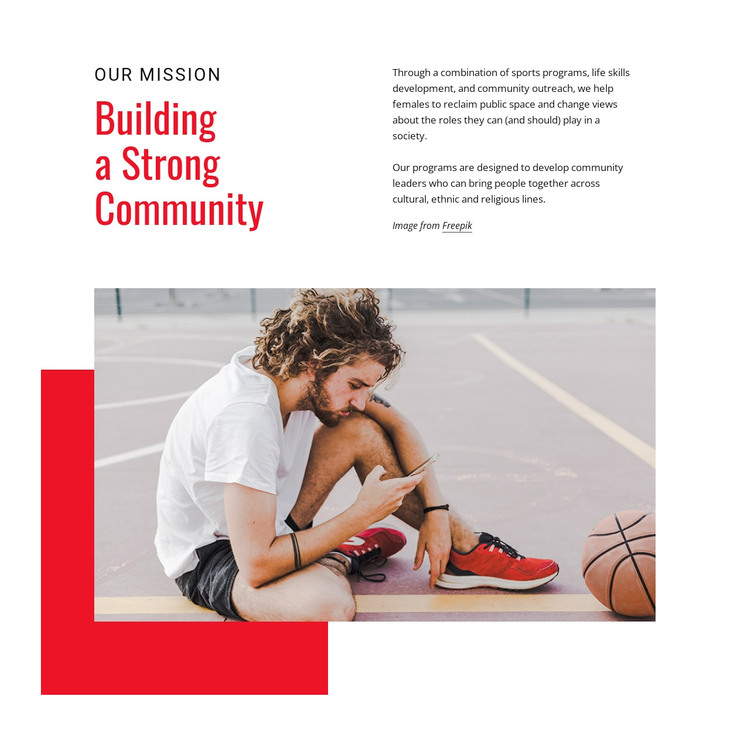
The layout reinforces that role through a clear separation of emphasis and detail. The heading occupies one side of the upper two-column region, while the explanatory paragraphs occupy the other. Below them, the wide sports-court photograph supplies a visual reference for the program focus, and the red offset rectangle gives the image a defined treatment within the section. In a WordPress-oriented project, this block can serve as permanent mission content on an About or organization page while other areas handle regularly updated stories, events, or outreach news. The wider site can manage its own pages and publishing structure around the section, but the block retains its independent content purpose. Its static presentation also keeps the message immediately available without requiring visitors to open tabs, move through a slider, or trigger another interaction.
Customize with Nicepage
Open this ready-made template in the WordPress Website Builder and customize it visually in the Nicepage editor. Replace demo content, edit page sections, and adapt the design to your project without rebuilding the template from scratch.
Edit Template Offline
2. Create a new page or select existing
3. Click Add new block, search for id 52293 and click enter
Edit Template Online
Create Awesome Websites


Free Nicepage Builder
Keywords
Manage and Edit This Theme in WordPress
Customize and Install the WordPress Theme
Start with this ready-made theme instead of building the WordPress design from scratch. Customize its layout, content, typography, images, sections, and other design elements visually in Nicepage editor, then export and install the WordPress Theme, Plugin, and Pages on your WordPress site. The Nicepage WordPress Plugin lets you continue working with the site after installation.
Edit the Theme Directly in WordPress
After installation, you can edit the WordPress Theme directly in WordPress with the Nicepage WordPress Plugin. Use Site Style to customize site Colors, Fonts, Header, Footer, Blog, and Post Page Templates while working within your WordPress website.
Edit WordPress Pages Visually
Use the Nicepage WordPress Plugin to edit page content directly from the WordPress admin area. Open a WordPress Page with Nicepage and visually change its text, images, sections, and other page elements while continuing to manage the Page through WordPress.
WordPress Content and Theme Integration
Use the customized theme with WordPress Pages, Posts, Blog and Post Templates, menus, widgets, and other CMS-managed content. Shared theme elements such as Colors, Fonts, Header, Footer, Blog, and Post Page Templates can be managed as part of the overall site design, while WordPress provides the CMS environment for managing site content.
This workflow combines a ready-made WordPress Theme with visual customization, direct theme editing in WordPress, and continued content management through the Nicepage WordPress Plugin.