The team is ready to cooperate WordPress Theme


Stable Team Content in Four Comparable Profile Units
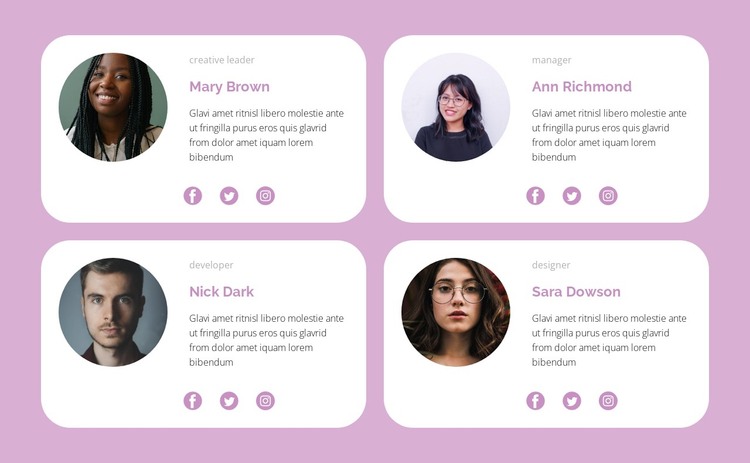
The block reads as stable people-oriented page content because its four cards present a defined group rather than a time-based stream. Each profile includes a circular portrait, role label, name, descriptive paragraph, and Facebook, Twitter, and Instagram links. This makes the section suitable for a team or staff area where every person receives the same basic amount of context and the social destinations remain attached to the relevant profile.
The two-column, two-row grid keeps the team together as one page section. White rounded cards distinguish individual profiles against the soft pink background, while muted mauve accents and restrained gray text establish a consistent hierarchy from role to name and description. Generous spacing prevents the repeated content from becoming a dense wall, and the large corner radii give the section a recognizable visual treatment that can coexist with other page content.
In a WordPress-oriented project, this block can participate as a reusable section on a stable team or company page while the wider site handles its other content areas. The sample names and descriptions should be treated as replaceable profile material, not as fixed organizational claims. Updating those values does not require changing the layout logic: the portrait, identity text, biography, and social-link relationship remains the section’s central content model.
Customize with Nicepage
Open this ready-made template in the WordPress Website Builder and customize it visually in the Nicepage editor. Replace demo content, edit page sections, and adapt the design to your project without rebuilding the template from scratch.
Edit Template Offline
2. Create a new page or select existing
3. Click Add new block, search for id 1624772 and click enter
Edit Template Online
Create Awesome Websites


Free Nicepage Builder
Keywords
Manage and Edit This Theme in WordPress
Customize and Install the WordPress Theme
Start with this ready-made theme instead of building the WordPress design from scratch. Customize its layout, content, typography, images, sections, and other design elements visually in Nicepage editor, then export and install the WordPress Theme, Plugin, and Pages on your WordPress site. The Nicepage WordPress Plugin lets you continue working with the site after installation.
Edit the Theme Directly in WordPress
After installation, you can edit the WordPress Theme directly in WordPress with the Nicepage WordPress Plugin. Use Site Style to customize site Colors, Fonts, Header, Footer, Blog, and Post Page Templates while working within your WordPress website.
Edit WordPress Pages Visually
Use the Nicepage WordPress Plugin to edit page content directly from the WordPress admin area. Open a WordPress Page with Nicepage and visually change its text, images, sections, and other page elements while continuing to manage the Page through WordPress.
WordPress Content and Theme Integration
Use the customized theme with WordPress Pages, Posts, Blog and Post Templates, menus, widgets, and other CMS-managed content. Shared theme elements such as Colors, Fonts, Header, Footer, Blog, and Post Page Templates can be managed as part of the overall site design, while WordPress provides the CMS environment for managing site content.
This workflow combines a ready-made WordPress Theme with visual customization, direct theme editing in WordPress, and continued content management through the Nicepage WordPress Plugin.