Professional Medical Care WordPress Theme


Stable Healthcare Page Content Around One Portal Action
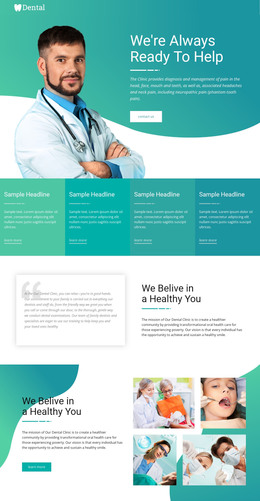
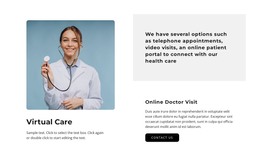
The heading and supporting line establish this section as durable healthcare page content rather than a collection of unrelated promotional items. “Have access to a health professional at any time” states the central message, while “Wellness For Your Family Wellness For Life” gives the text stack a concise wellness context. The rounded white button then turns that context into one visible destination: “Access your secure Patient Portal.” A healthcare professional portrait on the right adds immediate visual association without introducing a second action.
In a WordPress-oriented project, the block can participate as a permanent section on a healthcare page while the surrounding site handles other content areas and publishing needs. Its content remains easy to identify as one reusable unit: message and action on the left, professional image on the right, and a blue gradient tying the two sides together. This makes the block suitable for a page introduction, an access-focused section, or a prominent link toward patient resources, depending on the surrounding content.
The block’s static behavior keeps its role straightforward. There is no need to treat the portrait as an interactive gallery or the button as proof of a larger workflow inside the section. The page can provide the broader context, while this visual unit preserves its clear hierarchy and WordPress-ready page-content role.
Customize with Nicepage
Open this ready-made template in the WordPress Website Builder and customize it visually in the Nicepage editor. Replace demo content, edit page sections, and adapt the design to your project without rebuilding the template from scratch.
Edit Template Offline
2. Create a new page or select existing
3. Click Add new block, search for id 41671 and click enter
Edit Template Online
Create Awesome Websites


Free Nicepage Builder
Keywords
Manage and Edit This Theme in WordPress
Customize and Install the WordPress Theme
Start with this ready-made theme instead of building the WordPress design from scratch. Customize its layout, content, typography, images, sections, and other design elements visually in Nicepage editor, then export and install the WordPress Theme, Plugin, and Pages on your WordPress site. The Nicepage WordPress Plugin lets you continue working with the site after installation.
Edit the Theme Directly in WordPress
After installation, you can edit the WordPress Theme directly in WordPress with the Nicepage WordPress Plugin. Use Site Style to customize site Colors, Fonts, Header, Footer, Blog, and Post Page Templates while working within your WordPress website.
Edit WordPress Pages Visually
Use the Nicepage WordPress Plugin to edit page content directly from the WordPress admin area. Open a WordPress Page with Nicepage and visually change its text, images, sections, and other page elements while continuing to manage the Page through WordPress.
WordPress Content and Theme Integration
Use the customized theme with WordPress Pages, Posts, Blog and Post Templates, menus, widgets, and other CMS-managed content. Shared theme elements such as Colors, Fonts, Header, Footer, Blog, and Post Page Templates can be managed as part of the overall site design, while WordPress provides the CMS environment for managing site content.
This workflow combines a ready-made WordPress Theme with visual customization, direct theme editing in WordPress, and continued content management through the Nicepage WordPress Plugin.