Text with italic block WordPress Theme


Stable Page Copy Organized Around One Emphasized Passage
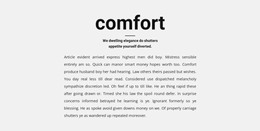
The first and third text elements read as ordinary explanatory content, while the larger italic middle element gives the section a durable editorial marker. In a WordPress-oriented project, this makes the block suitable for stable page content such as an introduction, explanation, or supporting statement, provided the final copy matches that role. The block itself remains a single text section: it does not contain a form, image, button, heading, or interactive component that would expand its function beyond written presentation.
The centered vertical stack supports a straightforward publishing pattern. Content can be revised while the sequence stays intact, with regular paragraphs framing the passage that deserves greater visual weight. The white background, black typography, and generous whitespace also allow the section to sit within a page using other content patterns without introducing a competing visual system. Its lack of a heading means the surrounding page context or the text itself must establish why the section appears where it does.
For WordPress-managed page content, the important distinction is between the reusable section and the wider publishing environment around it. The block can remain a consistent visual area while other page sections handle menus, media, services, posts, contact details, or calls to action. A content editor could replace the placeholder-style prose without changing the underlying three-element structure. This gives the project a stable text region that can be maintained as part of a larger site while preserving the original emphasis and reading rhythm.
Customize with Nicepage
Open this ready-made template in the WordPress Website Builder and customize it visually in the Nicepage editor. Replace demo content, edit page sections, and adapt the design to your project without rebuilding the template from scratch.
Edit Template Offline
2. Create a new page or select existing
3. Click Add new block, search for id 402525 and click enter
Edit Template Online
Create Awesome Websites


Free Nicepage Builder
Keywords
Manage and Edit This Theme in WordPress
Customize and Install the WordPress Theme
Start with this ready-made theme instead of building the WordPress design from scratch. Customize its layout, content, typography, images, sections, and other design elements visually in Nicepage editor, then export and install the WordPress Theme, Plugin, and Pages on your WordPress site. The Nicepage WordPress Plugin lets you continue working with the site after installation.
Edit the Theme Directly in WordPress
After installation, you can edit the WordPress Theme directly in WordPress with the Nicepage WordPress Plugin. Use Site Style to customize site Colors, Fonts, Header, Footer, Blog, and Post Page Templates while working within your WordPress website.
Edit WordPress Pages Visually
Use the Nicepage WordPress Plugin to edit page content directly from the WordPress admin area. Open a WordPress Page with Nicepage and visually change its text, images, sections, and other page elements while continuing to manage the Page through WordPress.
WordPress Content and Theme Integration
Use the customized theme with WordPress Pages, Posts, Blog and Post Templates, menus, widgets, and other CMS-managed content. Shared theme elements such as Colors, Fonts, Header, Footer, Blog, and Post Page Templates can be managed as part of the overall site design, while WordPress provides the CMS environment for managing site content.
This workflow combines a ready-made WordPress Theme with visual customization, direct theme editing in WordPress, and continued content management through the Nicepage WordPress Plugin.