Sunday bible lessons WordPress Theme


The Community Heading Gives WordPress Page Content a Clear Identity
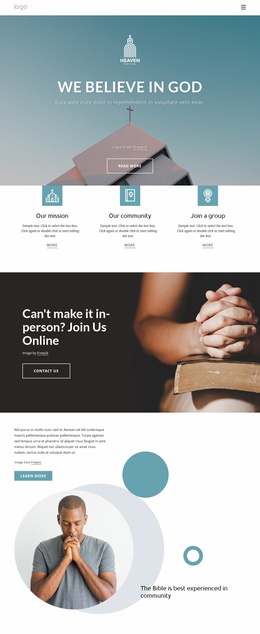
The large heading, “The Bible is best experienced in community,” gives this section a stable subject that can be presented as permanent content on a WordPress-managed page. The supporting paragraph supplies room for explanatory information, and the “Learn more” button creates a route toward related material without changing the block into a full page. On the visual side, the circular portrait of a praying person adds a human focus, while three decorative circular shapes support the image without introducing separate content categories.
The asymmetrical arrangement is especially useful for page-oriented content because the heading, copy, action, and image can remain recognizable when the section is placed among other blocks. A church or community-oriented project could use it for an introduction to study material, shared learning, or a faith-related initiative, with separate sections carrying fuller details elsewhere. The white background and open spacing provide separation from neighboring content, while the teal and pale blue accents offer visual cues that can be repeated selectively in related page sections.
In a WordPress context, this block is best understood as one reusable visual content area within the wider theme and page structure. Its heading and supporting text can remain stable while surrounding pages or site content develop independently. The block contributes a focused message and image relationship; it does not represent a complete WordPress Theme by itself.
Customize with Nicepage
Open this ready-made template in the WordPress Website Builder and customize it visually in the Nicepage editor. Replace demo content, edit page sections, and adapt the design to your project without rebuilding the template from scratch.
Edit Template Offline
2. Create a new page or select existing
3. Click Add new block, search for id 379194 and click enter
Edit Template Online
Create Awesome Websites


Free Nicepage Builder
Keywords
Manage and Edit This Theme in WordPress
Customize and Install the WordPress Theme
Start with this ready-made theme instead of building the WordPress design from scratch. Customize its layout, content, typography, images, sections, and other design elements visually in Nicepage editor, then export and install the WordPress Theme, Plugin, and Pages on your WordPress site. The Nicepage WordPress Plugin lets you continue working with the site after installation.
Edit the Theme Directly in WordPress
After installation, you can edit the WordPress Theme directly in WordPress with the Nicepage WordPress Plugin. Use Site Style to customize site Colors, Fonts, Header, Footer, Blog, and Post Page Templates while working within your WordPress website.
Edit WordPress Pages Visually
Use the Nicepage WordPress Plugin to edit page content directly from the WordPress admin area. Open a WordPress Page with Nicepage and visually change its text, images, sections, and other page elements while continuing to manage the Page through WordPress.
WordPress Content and Theme Integration
Use the customized theme with WordPress Pages, Posts, Blog and Post Templates, menus, widgets, and other CMS-managed content. Shared theme elements such as Colors, Fonts, Header, Footer, Blog, and Post Page Templates can be managed as part of the overall site design, while WordPress provides the CMS environment for managing site content.
This workflow combines a ready-made WordPress Theme with visual customization, direct theme editing in WordPress, and continued content management through the Nicepage WordPress Plugin.