Real people finding real hope WordPress Theme


Edit Template Offline
2. Create new page and search for id 5587327
Edit Template Online
Create Awesome Websites


Free Nicepage Builder
Keywords
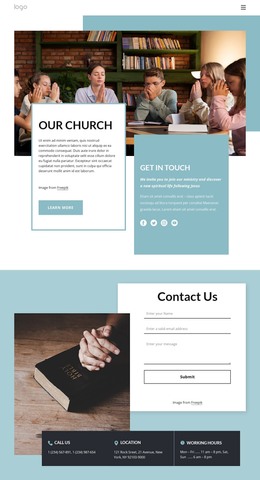
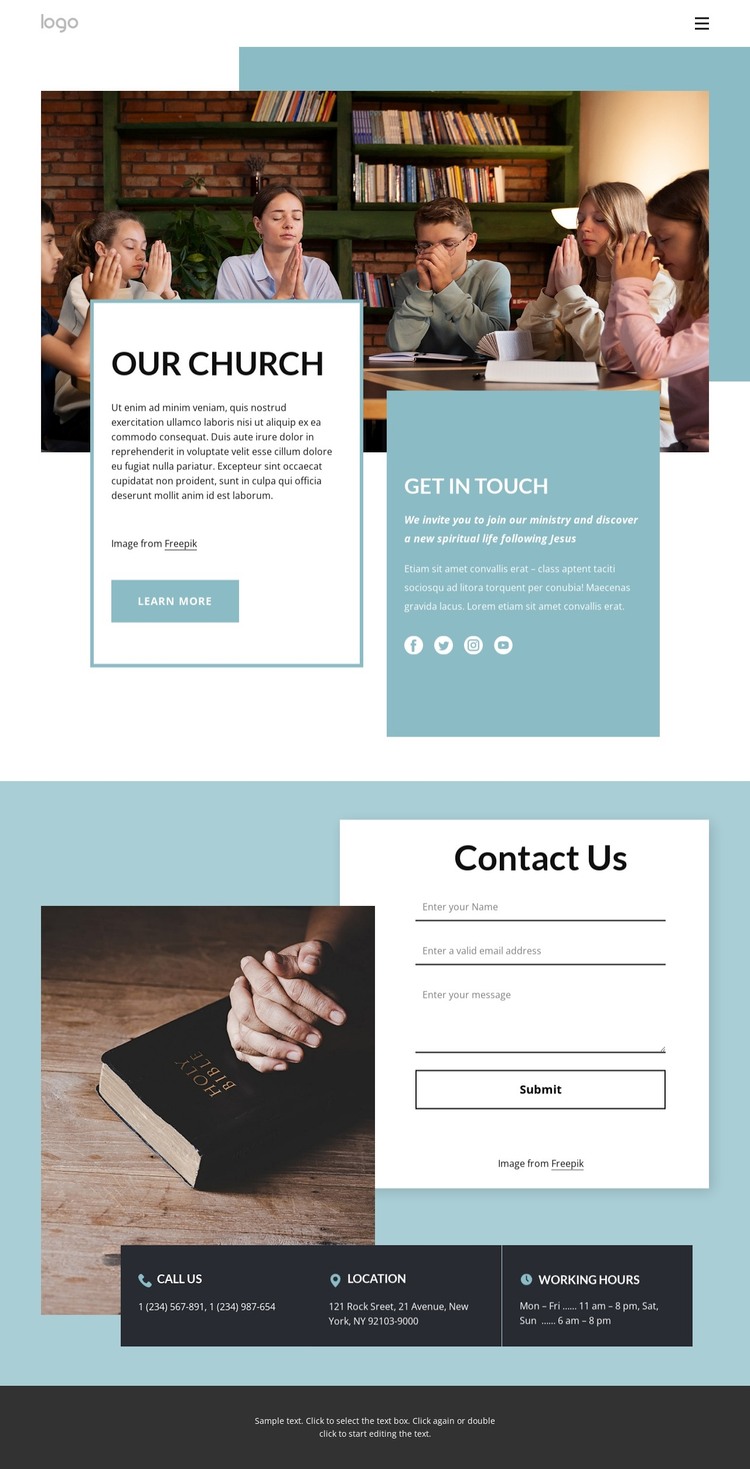
Church content areas remain distinct from the contact interaction
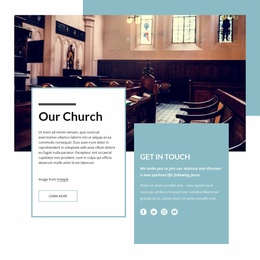
The page divides its church content into areas that can be interpreted clearly within a WordPress-managed site. The “Our Church” heading and large image provide permanent page-oriented material for explaining the ministry, while the invitation copy and “Learn more” action create a natural introductory relationship. The neighboring “Get in touch” panel gives contact information a separate emphasis instead of mixing it into the church description. This separation can help preserve the design’s visual character as page content is revised.
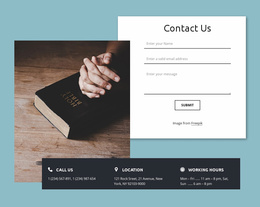
The social links for Facebook, Twitter, Instagram, and YouTube add a second content relationship: the ministry introduction can connect to external community channels without competing with the primary page navigation. The centered “Contact Us” form then serves a different role, collecting a name, email, and message through a focused interaction area. Its “Submit” action makes the contact request easy to identify among the surrounding content.
The lower three-card group offers a reusable visual pattern for practical site information. “Call Us,” “Location,” and “Working Hours” can remain coordinated as related contact details, while the dark treatment distinguishes them from the white form card and soft blue introduction. WordPress Pages could organize comparable permanent church information, but the analysis does not verify posts, blog areas, or other dynamic WordPress structures in this design. The sample New York, NY reference and phone values should therefore be replaced or independently confirmed before publication.
Customize with Nicepage
Open this ready-made template in the WordPress Website Builder and customize it visually in the Nicepage editor. Replace demo content, edit page sections, and adapt the design to your project without rebuilding the template from scratch.
Manage and Edit This Theme in WordPress
Customize and Install the WordPress Theme
Start with this ready-made theme instead of building the WordPress design from scratch. Customize its layout, content, typography, images, sections, and other design elements visually in Nicepage editor, then export and install the WordPress Theme, Plugin, and Pages on your WordPress site. The Nicepage WordPress Plugin lets you continue working with the site after installation.
Edit the Theme Directly in WordPress
After installation, you can edit the WordPress Theme directly in WordPress with the Nicepage WordPress Plugin. Use Site Style to customize site Colors, Fonts, Header, Footer, Blog, and Post Page Templates while working within your WordPress website.
Edit WordPress Pages Visually
Use the Nicepage WordPress Plugin to edit page content directly from the WordPress admin area. Open a WordPress Page with Nicepage and visually change its text, images, sections, and other page elements while continuing to manage the Page through WordPress.
WordPress Content and Theme Integration
Use the customized theme with WordPress Pages, Posts, Blog and Post Templates, menus, widgets, and other CMS-managed content. Shared theme elements such as Colors, Fonts, Header, Footer, Blog, and Post Page Templates can be managed as part of the overall site design, while WordPress provides the CMS environment for managing site content.
This workflow combines a ready-made WordPress Theme with visual customization, direct theme editing in WordPress, and continued content management through the Nicepage WordPress Plugin.