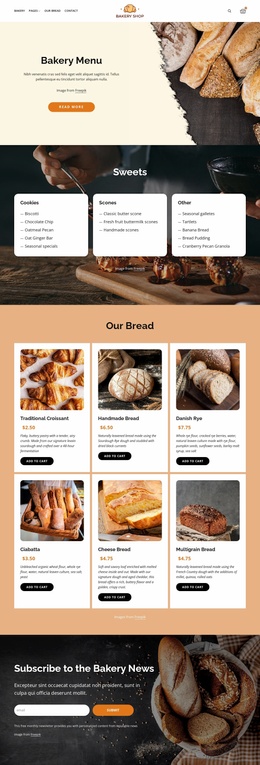
Honest food WordPress Theme


Stable Bakery Content in a WordPress Page Area
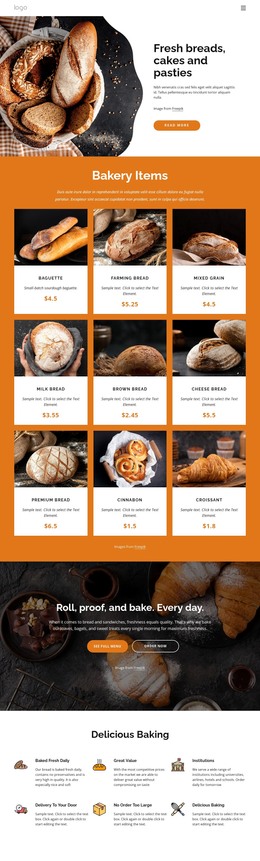
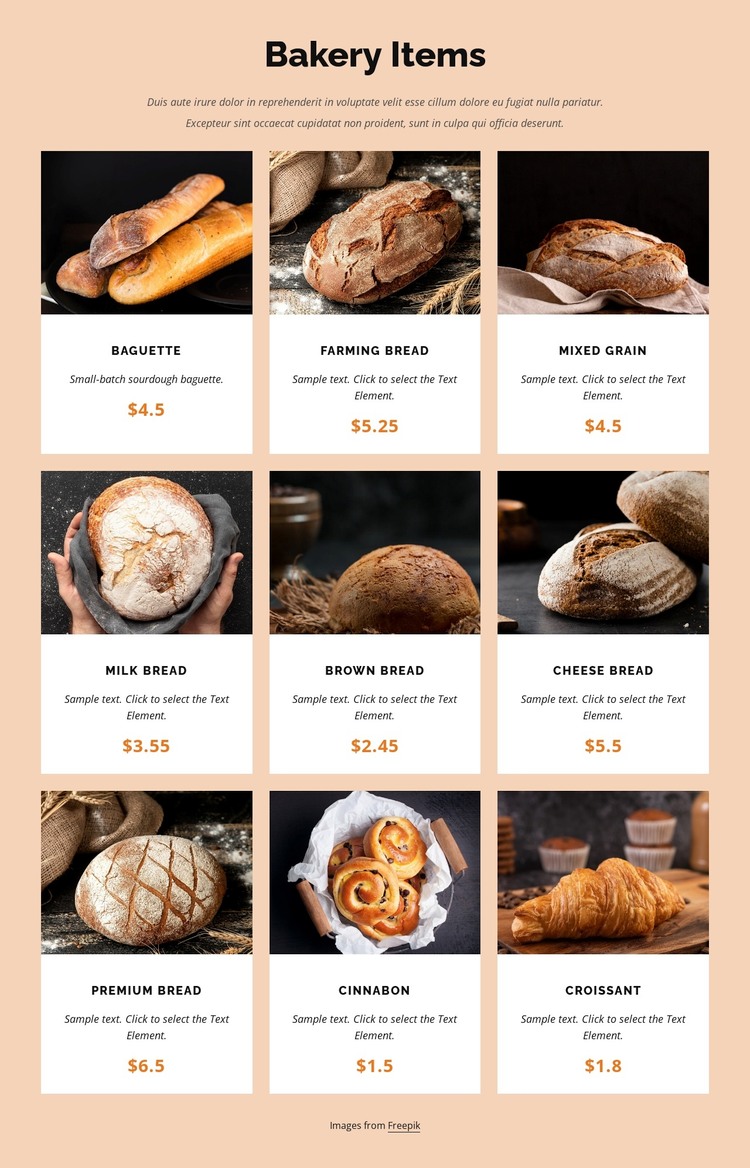
The heading, introductory paragraph, and nine-card collection read as stable product information that can occupy a defined section of a WordPress-managed page. The block is especially clear as page content because each item follows a fixed presentation pattern: image first, then product name, description, and displayed price. That structure suits a bakery menu or product showcase where the collection needs to remain visually consistent with the surrounding site.
The three-column, three-row arrangement lets the section present nine items without collapsing them into a single text stream. Baguette, Farming bread, Mixed Grain, Milk Bread, Brown Bread, Cheese Bread, Premium Bread, Cinnabon, and Croissant each receive the same card treatment, making the content easy to scan as a related group. White rectangular cards separate the items from the warm pale peach background, while orange prices provide a repeated visual marker for the commercial detail.
Within a WordPress-oriented project, this block can remain one reusable page section while the broader site handles other content areas and publishing needs. The block does not need to become a theme-level structure to be useful; its role is to present a particular product collection with a defined visual arrangement. Nicepage’s WordPress workflow can support page content and broader theme work, but the important design decision here is the relationship between the bakery information and its repeated card layout.
Customize with Nicepage
Open this ready-made template in the WordPress Website Builder and customize it visually in the Nicepage editor. Replace demo content, edit page sections, and adapt the design to your project without rebuilding the template from scratch.
Edit Template Offline
2. Create a new page or select existing
3. Click Add new block, search for id 3273739 and click enter
Edit Template Online
Create Awesome Websites


Free Nicepage Builder
Keywords
Manage and Edit This Theme in WordPress
Customize and Install the WordPress Theme
Start with this ready-made theme instead of building the WordPress design from scratch. Customize its layout, content, typography, images, sections, and other design elements visually in Nicepage editor, then export and install the WordPress Theme, Plugin, and Pages on your WordPress site. The Nicepage WordPress Plugin lets you continue working with the site after installation.
Edit the Theme Directly in WordPress
After installation, you can edit the WordPress Theme directly in WordPress with the Nicepage WordPress Plugin. Use Site Style to customize site Colors, Fonts, Header, Footer, Blog, and Post Page Templates while working within your WordPress website.
Edit WordPress Pages Visually
Use the Nicepage WordPress Plugin to edit page content directly from the WordPress admin area. Open a WordPress Page with Nicepage and visually change its text, images, sections, and other page elements while continuing to manage the Page through WordPress.
WordPress Content and Theme Integration
Use the customized theme with WordPress Pages, Posts, Blog and Post Templates, menus, widgets, and other CMS-managed content. Shared theme elements such as Colors, Fonts, Header, Footer, Blog, and Post Page Templates can be managed as part of the overall site design, while WordPress provides the CMS environment for managing site content.
This workflow combines a ready-made WordPress Theme with visual customization, direct theme editing in WordPress, and continued content management through the Nicepage WordPress Plugin.