Cleaning company work WordPress Theme


A Service-Information Section for WordPress Page Content
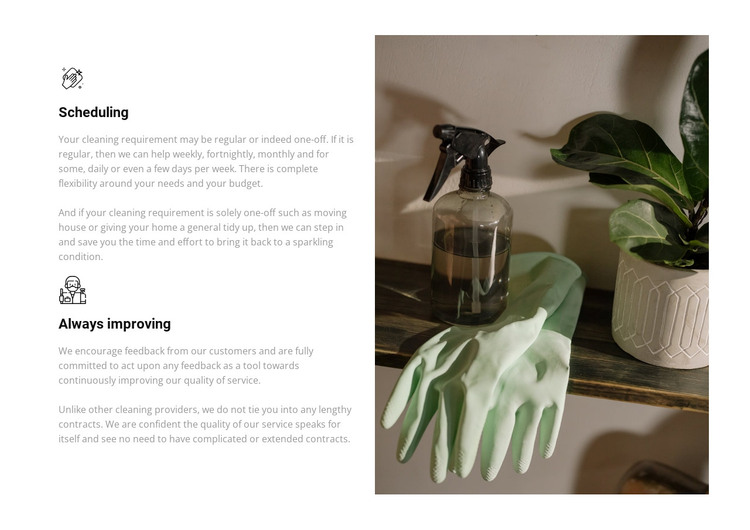
The block reads as stable service information that can sit on a WordPress-managed page. Its first feature, “Scheduling,” explains how regular and one-off cleaning arrangements may be organized, naming weekly, fortnightly, monthly, daily, and occasional multi-day frequencies. The second, “Always improving,” shifts from availability to quality, presenting customer feedback as part of the service-improvement principle. These two subjects give the section a useful progression from how visits are arranged to how the service develops.
The visual structure keeps that message compact. Two icon-led feature groups are stacked in the left column, so visitors can compare the principles in a consistent reading pattern. The right column is reserved for one tall photograph of cleaning supplies, adding a concrete visual cue without competing with the descriptions. Bold headings, gray supporting copy, a restrained black and muted green palette, and generous spacing create a calm content area that can be reused alongside other page sections.
For WordPress, the block can function as permanent services-page content while the wider project handles additional pages and changing material separately. Nicepage supports working with page content through its WordPress Theme, Plugin, and Pages workflow. That broader capability provides context for placement, but the section itself remains a focused feature region rather than a standalone WordPress Theme.
Customize with Nicepage
Open this ready-made template in the WordPress Website Builder and customize it visually in the Nicepage editor. Replace demo content, edit page sections, and adapt the design to your project without rebuilding the template from scratch.
Edit Template Offline
2. Create a new page or select existing
3. Click Add new block, search for id 323896 and click enter
Edit Template Online
Create Awesome Websites


Free Nicepage Builder
Keywords
Manage and Edit This Theme in WordPress
Customize and Install the WordPress Theme
Start with this ready-made theme instead of building the WordPress design from scratch. Customize its layout, content, typography, images, sections, and other design elements visually in Nicepage editor, then export and install the WordPress Theme, Plugin, and Pages on your WordPress site. The Nicepage WordPress Plugin lets you continue working with the site after installation.
Edit the Theme Directly in WordPress
After installation, you can edit the WordPress Theme directly in WordPress with the Nicepage WordPress Plugin. Use Site Style to customize site Colors, Fonts, Header, Footer, Blog, and Post Page Templates while working within your WordPress website.
Edit WordPress Pages Visually
Use the Nicepage WordPress Plugin to edit page content directly from the WordPress admin area. Open a WordPress Page with Nicepage and visually change its text, images, sections, and other page elements while continuing to manage the Page through WordPress.
WordPress Content and Theme Integration
Use the customized theme with WordPress Pages, Posts, Blog and Post Templates, menus, widgets, and other CMS-managed content. Shared theme elements such as Colors, Fonts, Header, Footer, Blog, and Post Page Templates can be managed as part of the overall site design, while WordPress provides the CMS environment for managing site content.
This workflow combines a ready-made WordPress Theme with visual customization, direct theme editing in WordPress, and continued content management through the Nicepage WordPress Plugin.