Cryptocurrency development services WordPress Theme



Four Reusable Feature Units Beneath a Workplace Image
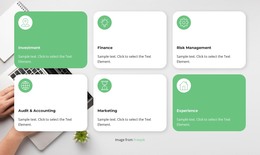
The four cards provide the block's stable content pattern: each combines an icon with a supporting paragraph, allowing related business-service highlights to appear as a coordinated group. Their repeated white surfaces and consistent spacing make the content easy to scan as separate units, while the orange icon tiles create a shared visual marker. The full-width office photograph above them adds a workplace setting and carries the strongest visual presence before the reader reaches the text.
The cards do not simply follow the image in a conventional vertical stack. They overlap its lower edge, creating a layered transition between the photograph and the written feature content. Subtle shadows separate the cards from the image, and the warm orange background reinforces the accent color used in each icon tile. Italic gray paragraph text adds a secondary typographic level beneath the icons. The section is static, so its meaning depends on this image, card, and hierarchy rather than on confirmed motion or interactive controls.
For a WordPress-managed page, the layout can serve as a reusable permanent content section for related features or service highlights. The wider project can manage other page content around it, while this block preserves the four-item visual pattern. Placeholder paragraphs can be replaced with final copy, and the visible image credit can remain associated with the office photograph without changing the section's structure.
Customize with Nicepage
Open this ready-made template in the WordPress Website Builder and customize it visually in the Nicepage editor. Replace demo content, edit page sections, and adapt the design to your project without rebuilding the template from scratch.
Edit Template Offline
2. Create a new page or select existing
3. Click Add new block, search for id 300625 and click enter
Edit Template Online
Create Awesome Websites


Free Nicepage Builder
Keywords
Manage and Edit This Theme in WordPress
Customize and Install the WordPress Theme
Start with this ready-made theme instead of building the WordPress design from scratch. Customize its layout, content, typography, images, sections, and other design elements visually in Nicepage editor, then export and install the WordPress Theme, Plugin, and Pages on your WordPress site. The Nicepage WordPress Plugin lets you continue working with the site after installation.
Edit the Theme Directly in WordPress
After installation, you can edit the WordPress Theme directly in WordPress with the Nicepage WordPress Plugin. Use Site Style to customize site Colors, Fonts, Header, Footer, Blog, and Post Page Templates while working within your WordPress website.
Edit WordPress Pages Visually
Use the Nicepage WordPress Plugin to edit page content directly from the WordPress admin area. Open a WordPress Page with Nicepage and visually change its text, images, sections, and other page elements while continuing to manage the Page through WordPress.
WordPress Content and Theme Integration
Use the customized theme with WordPress Pages, Posts, Blog and Post Templates, menus, widgets, and other CMS-managed content. Shared theme elements such as Colors, Fonts, Header, Footer, Blog, and Post Page Templates can be managed as part of the overall site design, while WordPress provides the CMS environment for managing site content.
This workflow combines a ready-made WordPress Theme with visual customization, direct theme editing in WordPress, and continued content management through the Nicepage WordPress Plugin.