Creative marketing agency WordPress Theme

Edit Template Offline
2. Create new page and search for id 2916074
Edit Template Online
Create Awesome Websites


Free Nicepage Builder
Keywords
Service Pages, Portfolio Content, and Contact Areas Shape the Theme
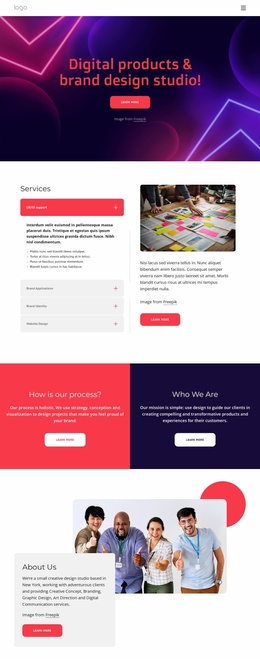
The What We Do section gives the design a clear page-oriented foundation by presenting Strategy, Design, and Development as three primary service areas. That broad grouping is expanded by capability content covering brand identity, communication strategy, UI/UX and web design, analytics, research, and full-stack development. For a WordPress project, these sections can provide stable content for agency pages while remaining distinct enough to support different visitor interests.
The portfolio and client-facing areas create a second content relationship. The nine-image Our Works gallery gives project presentation a substantial visual destination, while the DevOps and Website Support section frames a continuing service relationship beside five visible client logos. The three image-led capability cards add repeatable content units with titles and checklists, which can be adapted as the agency’s service information develops without changing the central visual direction.
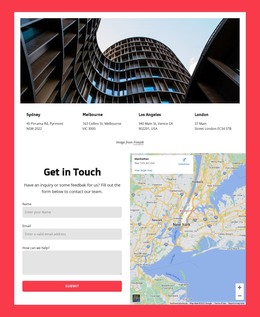
The four contact-purpose columns separate sales, jobs, press, and client support instead of treating every inquiry as the same interaction. At the bottom, office information and a newsletter subscription form provide a distinct communication area. These permanent service, portfolio, support, and contact regions can work with WordPress-managed page content; the analysis does not verify existing posts or blog structures, so those should not be assumed. The theme’s value lies in connecting varied agency content through one consistent navy, white, magenta, and coral presentation.
Customize with Nicepage
Open this ready-made template in the WordPress Website Builder and customize it visually in the Nicepage editor. Replace demo content, edit page sections, and adapt the design to your project without rebuilding the template from scratch.
Manage and Edit This Theme in WordPress
Customize and Install the WordPress Theme
Start with this ready-made theme instead of building the WordPress design from scratch. Customize its layout, content, typography, images, sections, and other design elements visually in Nicepage editor, then export and install the WordPress Theme, Plugin, and Pages on your WordPress site. The Nicepage WordPress Plugin lets you continue working with the site after installation.
Edit the Theme Directly in WordPress
After installation, you can edit the WordPress Theme directly in WordPress with the Nicepage WordPress Plugin. Use Site Style to customize site Colors, Fonts, Header, Footer, Blog, and Post Page Templates while working within your WordPress website.
Edit WordPress Pages Visually
Use the Nicepage WordPress Plugin to edit page content directly from the WordPress admin area. Open a WordPress Page with Nicepage and visually change its text, images, sections, and other page elements while continuing to manage the Page through WordPress.
WordPress Content and Theme Integration
Use the customized theme with WordPress Pages, Posts, Blog and Post Templates, menus, widgets, and other CMS-managed content. Shared theme elements such as Colors, Fonts, Header, Footer, Blog, and Post Page Templates can be managed as part of the overall site design, while WordPress provides the CMS environment for managing site content.
This workflow combines a ready-made WordPress Theme with visual customization, direct theme editing in WordPress, and continued content management through the Nicepage WordPress Plugin.