700 free online courses WordPress Theme



Stable Class Content for a WordPress-Managed Page
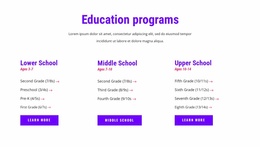
The heading and nine repeated offerings read as stable page content rather than a stream of dated editorial entries. The section introduces a catalog of free online classes, then organizes subjects such as Free Online Math Class, English Language, iRobot Education, and Coding and Robotics into a predictable three-by-three grid. Age-range labels help qualify each offering, while the underlined “more” links provide a direct route to additional information for individual classes.
In a WordPress-oriented project, this block can occupy a services or education section of a managed page while the wider site handles other content areas separately. The repeated structure is useful when the surrounding project needs a consistent presentation for several class choices, but the block should remain focused on its visible catalog role rather than being treated as a complete theme. The static layout keeps every offering available for immediate scanning, and the strong purple field gives the section a recognizable visual boundary. Centered white titles and pale lavender labels establish a clear content hierarchy that can sit within a broader WordPress design. The “more” destinations may connect to class details or booking content elsewhere, while this section continues to present the available options in one reusable page region.
Customize with Nicepage
Open this ready-made template in the WordPress Website Builder and customize it visually in the Nicepage editor. Replace demo content, edit page sections, and adapt the design to your project without rebuilding the template from scratch.
Edit Template Offline
2. Create a new page or select existing
3. Click Add new block, search for id 2801893 and click enter
Edit Template Online
Create Awesome Websites


Free Nicepage Builder
Keywords
Manage and Edit This Theme in WordPress
Customize and Install the WordPress Theme
Start with this ready-made theme instead of building the WordPress design from scratch. Customize its layout, content, typography, images, sections, and other design elements visually in Nicepage editor, then export and install the WordPress Theme, Plugin, and Pages on your WordPress site. The Nicepage WordPress Plugin lets you continue working with the site after installation.
Edit the Theme Directly in WordPress
After installation, you can edit the WordPress Theme directly in WordPress with the Nicepage WordPress Plugin. Use Site Style to customize site Colors, Fonts, Header, Footer, Blog, and Post Page Templates while working within your WordPress website.
Edit WordPress Pages Visually
Use the Nicepage WordPress Plugin to edit page content directly from the WordPress admin area. Open a WordPress Page with Nicepage and visually change its text, images, sections, and other page elements while continuing to manage the Page through WordPress.
WordPress Content and Theme Integration
Use the customized theme with WordPress Pages, Posts, Blog and Post Templates, menus, widgets, and other CMS-managed content. Shared theme elements such as Colors, Fonts, Header, Footer, Blog, and Post Page Templates can be managed as part of the overall site design, while WordPress provides the CMS environment for managing site content.
This workflow combines a ready-made WordPress Theme with visual customization, direct theme editing in WordPress, and continued content management through the Nicepage WordPress Plugin.