We consider our success WordPress Theme


Repeated Counters Turn Page Content Into a Scannable Summary
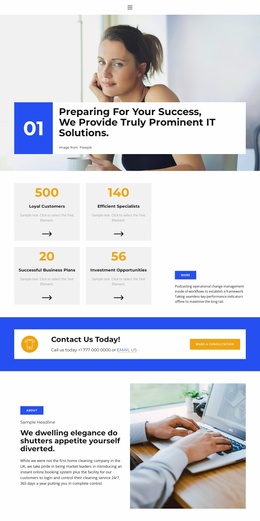
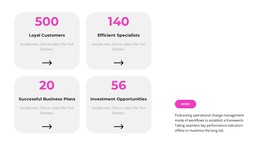
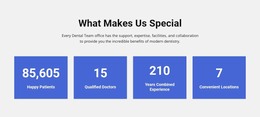
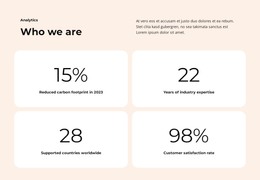
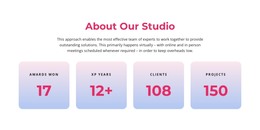
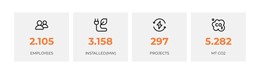
The four cards provide a stable content pattern for a WordPress-managed page: each metric is contained in its own rounded light-gray surface, yet the shared two-by-two arrangement makes the group read as one section. Large magenta values attract the first glance, dark labels identify the subject of each figure, and supporting text adds detail inside every card. The arrow icons reinforce the repeated visual language without changing the static nature of the layout.
The right side works differently from the card group. Its paragraph can carry the short explanation that connects the figures, while the pill-shaped button offers a separate destination or next step within the containing page. This division is useful when permanent page content needs both a quick summary and a small amount of interpretation. In a WordPress-oriented project, the section could sit on a services or business page while the broader site manages other publishable content around it.
The block is especially suited to information that should remain visually consistent rather than appear as a chronological feed. The four repeated units establish comparable slots, and the open space between the grid and the explanatory area prevents the figures from competing with the supporting message. The sample values and labels illustrate the content structure only; they do not establish actual customer, staffing, planning, or investment results. A Nicepage WordPress workflow can place such a designed region within wider page content while preserving its section-level role.
Customize with Nicepage
Open this ready-made template in the WordPress Website Builder and customize it visually in the Nicepage editor. Replace demo content, edit page sections, and adapt the design to your project without rebuilding the template from scratch.
Edit Template Offline
2. Create a new page or select existing
3. Click Add new block, search for id 2781153 and click enter
Edit Template Online
Create Awesome Websites


Free Nicepage Builder
Keywords
Manage and Edit This Theme in WordPress
Customize and Install the WordPress Theme
Start with this ready-made theme instead of building the WordPress design from scratch. Customize its layout, content, typography, images, sections, and other design elements visually in Nicepage editor, then export and install the WordPress Theme, Plugin, and Pages on your WordPress site. The Nicepage WordPress Plugin lets you continue working with the site after installation.
Edit the Theme Directly in WordPress
After installation, you can edit the WordPress Theme directly in WordPress with the Nicepage WordPress Plugin. Use Site Style to customize site Colors, Fonts, Header, Footer, Blog, and Post Page Templates while working within your WordPress website.
Edit WordPress Pages Visually
Use the Nicepage WordPress Plugin to edit page content directly from the WordPress admin area. Open a WordPress Page with Nicepage and visually change its text, images, sections, and other page elements while continuing to manage the Page through WordPress.
WordPress Content and Theme Integration
Use the customized theme with WordPress Pages, Posts, Blog and Post Templates, menus, widgets, and other CMS-managed content. Shared theme elements such as Colors, Fonts, Header, Footer, Blog, and Post Page Templates can be managed as part of the overall site design, while WordPress provides the CMS environment for managing site content.
This workflow combines a ready-made WordPress Theme with visual customization, direct theme editing in WordPress, and continued content management through the Nicepage WordPress Plugin.