Title and benefits WordPress Theme


Stable Marketing Content With a Separate Email Response Area
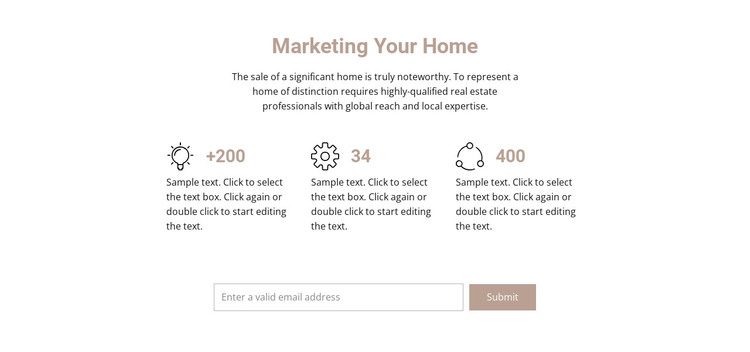
The centered “Marketing Your Home” heading and supporting paragraph form a stable informational opening for a WordPress-managed page. Their subject is specific to marketing a significant home through global reach and local expertise, giving the section a clear content role before the repeated metrics appear. Three counter items then organize supporting information into an evenly aligned row. Each item combines a black line icon, one displayed value, and a descriptive text area, while +200, 34, and 400 remain sample figures without specific metric labels. In a WordPress-oriented project, those values and descriptions can be treated as replaceable page content rather than fixed claims about an organization.
The email input and Submit control create a distinct response area beneath the counters. This separation lets the section remain useful as permanent marketing or property-related content while giving the broader page a compact place for an inquiry or follow-up action. The bordered white input and muted button preserve the restrained visual hierarchy instead of competing with the three-column row. A WordPress-managed site can place this section within a wider page alongside other content areas, but the block itself remains one reusable arrangement. Its practical role is to combine explanatory copy, repeatable highlights, and an email interaction in a form that can be adapted to the surrounding page.
Customize with Nicepage
Open this ready-made template in the WordPress Website Builder and customize it visually in the Nicepage editor. Replace demo content, edit page sections, and adapt the design to your project without rebuilding the template from scratch.
Edit Template Offline
2. Create a new page or select existing
3. Click Add new block, search for id 96851 and click enter
Edit Template Online
Create Awesome Websites


Free Nicepage Builder
Keywords
Manage and Edit This Theme in WordPress
Customize and Install the WordPress Theme
Start with this ready-made theme instead of building the WordPress design from scratch. Customize its layout, content, typography, images, sections, and other design elements visually in Nicepage editor, then export and install the WordPress Theme, Plugin, and Pages on your WordPress site. The Nicepage WordPress Plugin lets you continue working with the site after installation.
Edit the Theme Directly in WordPress
After installation, you can edit the WordPress Theme directly in WordPress with the Nicepage WordPress Plugin. Use Site Style to customize site Colors, Fonts, Header, Footer, Blog, and Post Page Templates while working within your WordPress website.
Edit WordPress Pages Visually
Use the Nicepage WordPress Plugin to edit page content directly from the WordPress admin area. Open a WordPress Page with Nicepage and visually change its text, images, sections, and other page elements while continuing to manage the Page through WordPress.
WordPress Content and Theme Integration
Use the customized theme with WordPress Pages, Posts, Blog and Post Templates, menus, widgets, and other CMS-managed content. Shared theme elements such as Colors, Fonts, Header, Footer, Blog, and Post Page Templates can be managed as part of the overall site design, while WordPress provides the CMS environment for managing site content.
This workflow combines a ready-made WordPress Theme with visual customization, direct theme editing in WordPress, and continued content management through the Nicepage WordPress Plugin.