Buy a ticket WordPress Theme


Stable Resource Content in a WordPress-Managed Page
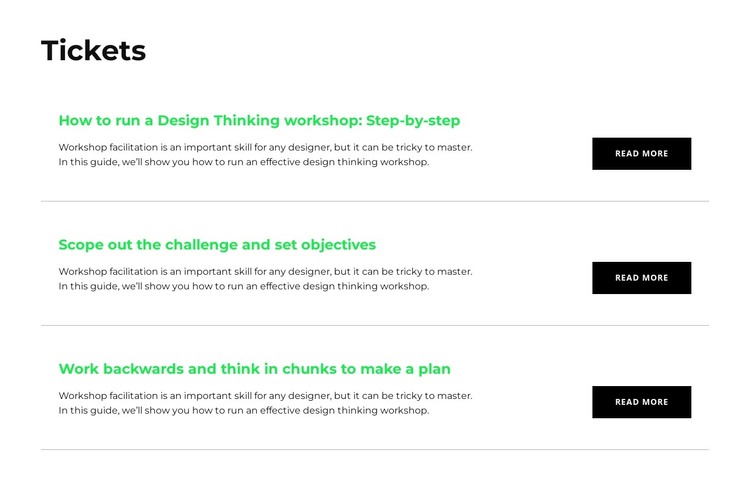
The Tickets block reads as stable, page-oriented resource content rather than a temporary promotional strip. Its heading introduces three related articles: a step-by-step guide to running a design thinking workshop, a resource on scoping the challenge and setting objectives, and a planning article about working backwards and thinking in chunks. Each row retains the same workshop facilitation excerpt and provides a right-aligned read-more action, making the content pattern consistent across the section.
Within a WordPress-managed page, this arrangement can serve as a reusable visual area for resources or learning material. The repeated rows are easy to recognize as related content, while the horizontal rules and open spacing prevent the section from reading like one undifferentiated article. Green titles can distinguish resource names from the black explanatory text, and the white background can sit alongside other page sections without imposing a complete site-wide style.
The WordPress Theme context concerns how this block participates as page content within a broader managed project. The surrounding site can handle other pages and publishing needs, while this section preserves its own article grouping and visual relationship. It should therefore be understood as a theme-compatible content region, not as a standalone theme or CMS architecture.
Customize with Nicepage
Open this ready-made template in the WordPress Website Builder and customize it visually in the Nicepage editor. Replace demo content, edit page sections, and adapt the design to your project without rebuilding the template from scratch.
Edit Template Offline
2. Create a new page or select existing
3. Click Add new block, search for id 2757910 and click enter
Edit Template Online
Create Awesome Websites


Free Nicepage Builder
Keywords
Manage and Edit This Theme in WordPress
Customize and Install the WordPress Theme
Start with this ready-made theme instead of building the WordPress design from scratch. Customize its layout, content, typography, images, sections, and other design elements visually in Nicepage editor, then export and install the WordPress Theme, Plugin, and Pages on your WordPress site. The Nicepage WordPress Plugin lets you continue working with the site after installation.
Edit the Theme Directly in WordPress
After installation, you can edit the WordPress Theme directly in WordPress with the Nicepage WordPress Plugin. Use Site Style to customize site Colors, Fonts, Header, Footer, Blog, and Post Page Templates while working within your WordPress website.
Edit WordPress Pages Visually
Use the Nicepage WordPress Plugin to edit page content directly from the WordPress admin area. Open a WordPress Page with Nicepage and visually change its text, images, sections, and other page elements while continuing to manage the Page through WordPress.
WordPress Content and Theme Integration
Use the customized theme with WordPress Pages, Posts, Blog and Post Templates, menus, widgets, and other CMS-managed content. Shared theme elements such as Colors, Fonts, Header, Footer, Blog, and Post Page Templates can be managed as part of the overall site design, while WordPress provides the CMS environment for managing site content.
This workflow combines a ready-made WordPress Theme with visual customization, direct theme editing in WordPress, and continued content management through the Nicepage WordPress Plugin.