Development of complex tasks WordPress Theme


Stable Services Content for a WordPress-Managed Page
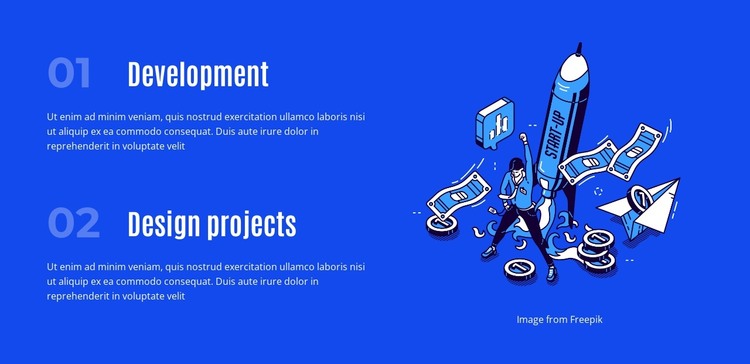
The left side of the section reads as permanent services content rather than a stream of time-sensitive updates. The first numbered item, Development, and the second, Design projects, each include a supporting paragraph that explains the category within the same visual frame. Their vertical order creates a dependable reading path, while the repeated label-and-description structure makes the two entries feel related without collapsing them into one undifferentiated message.
A single illustrated image sits to the right of the text column and supplies the block's main visual counterweight. It does not compete with the service labels or introduce an additional content group; instead, it helps balance the compact text area across the bright blue background. White typography provides strong contrast, and pale blue numerals act as subtle markers for the two service positions. The generous separation between entries supports scanning and leaves the section visually composed when placed among other page content.
For a WordPress-oriented project, this block can function as a stable services region on a page managed alongside other site content. The wider project may contain detailed service pages, portfolio material, blog content, or contact areas, while this section gives visitors a concise overview of Development and Design projects. Its role is therefore that of reusable page content within a broader theme and site context, not a standalone theme in itself.
Customize with Nicepage
Open this ready-made template in the WordPress Website Builder and customize it visually in the Nicepage editor. Replace demo content, edit page sections, and adapt the design to your project without rebuilding the template from scratch.
Edit Template Offline
2. Create a new page or select existing
3. Click Add new block, search for id 2616032 and click enter
Edit Template Online
Create Awesome Websites


Free Nicepage Builder
Keywords
Manage and Edit This Theme in WordPress
Customize and Install the WordPress Theme
Start with this ready-made theme instead of building the WordPress design from scratch. Customize its layout, content, typography, images, sections, and other design elements visually in Nicepage editor, then export and install the WordPress Theme, Plugin, and Pages on your WordPress site. The Nicepage WordPress Plugin lets you continue working with the site after installation.
Edit the Theme Directly in WordPress
After installation, you can edit the WordPress Theme directly in WordPress with the Nicepage WordPress Plugin. Use Site Style to customize site Colors, Fonts, Header, Footer, Blog, and Post Page Templates while working within your WordPress website.
Edit WordPress Pages Visually
Use the Nicepage WordPress Plugin to edit page content directly from the WordPress admin area. Open a WordPress Page with Nicepage and visually change its text, images, sections, and other page elements while continuing to manage the Page through WordPress.
WordPress Content and Theme Integration
Use the customized theme with WordPress Pages, Posts, Blog and Post Templates, menus, widgets, and other CMS-managed content. Shared theme elements such as Colors, Fonts, Header, Footer, Blog, and Post Page Templates can be managed as part of the overall site design, while WordPress provides the CMS environment for managing site content.
This workflow combines a ready-made WordPress Theme with visual customization, direct theme editing in WordPress, and continued content management through the Nicepage WordPress Plugin.