Actions that inspire WordPress Theme


Named consulting services become stable page content
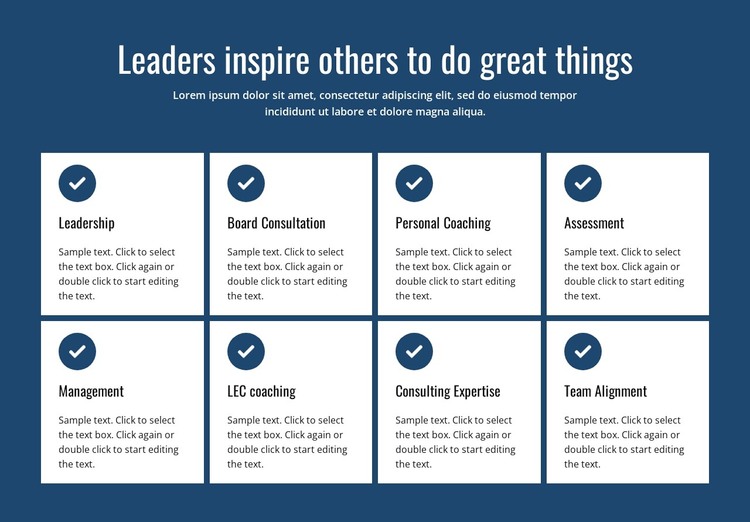
The block’s content model suits a page-oriented services section: one strong heading and supporting paragraph introduce eight separate service summaries, each presented in a consistent card. The four-column grid continues across two rows, so the visitor can scan a broad set of offerings without moving through eight unrelated visual treatments. Circular blue icons provide a repeated marker, while the white cards create clear containers for Leadership, Board Consultation, Personal Coaching, Assessment, Management, LEC coaching, Consulting Expertise, and Team Alignment.
In a WordPress-managed site, this arrangement can remain stable page content on a services or consulting page while the wider project handles other publishable areas around it. The section does not need to carry blog, navigation, or site-wide responsibilities; its role is to keep the core offering visible and organized. The heading supplies a concise message about leadership, and the card grid gives that message practical definition through named service areas. A WordPress-oriented project could place this block alongside additional page content, such as detailed service explanations or an inquiry section, while preserving the block’s dark blue, white-card visual identity. The result is a reusable content region that supports ongoing page editing without changing the underlying service grouping.
Customize with Nicepage
Open this ready-made template in the WordPress Website Builder and customize it visually in the Nicepage editor. Replace demo content, edit page sections, and adapt the design to your project without rebuilding the template from scratch.
Edit Template Offline
2. Create a new page or select existing
3. Click Add new block, search for id 2369315 and click enter
Edit Template Online
Create Awesome Websites


Free Nicepage Builder
Keywords
Manage and Edit This Theme in WordPress
Customize and Install the WordPress Theme
Start with this ready-made theme instead of building the WordPress design from scratch. Customize its layout, content, typography, images, sections, and other design elements visually in Nicepage editor, then export and install the WordPress Theme, Plugin, and Pages on your WordPress site. The Nicepage WordPress Plugin lets you continue working with the site after installation.
Edit the Theme Directly in WordPress
After installation, you can edit the WordPress Theme directly in WordPress with the Nicepage WordPress Plugin. Use Site Style to customize site Colors, Fonts, Header, Footer, Blog, and Post Page Templates while working within your WordPress website.
Edit WordPress Pages Visually
Use the Nicepage WordPress Plugin to edit page content directly from the WordPress admin area. Open a WordPress Page with Nicepage and visually change its text, images, sections, and other page elements while continuing to manage the Page through WordPress.
WordPress Content and Theme Integration
Use the customized theme with WordPress Pages, Posts, Blog and Post Templates, menus, widgets, and other CMS-managed content. Shared theme elements such as Colors, Fonts, Header, Footer, Blog, and Post Page Templates can be managed as part of the overall site design, while WordPress provides the CMS environment for managing site content.
This workflow combines a ready-made WordPress Theme with visual customization, direct theme editing in WordPress, and continued content management through the Nicepage WordPress Plugin.