Healthy fruit smoothies WordPress Theme


A Clear Fruit-Smoothie Content Region for WordPress Pages
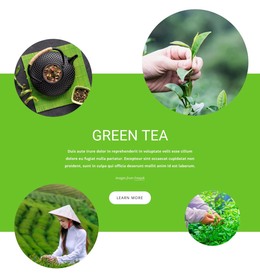
The left text area makes this section easy to read as permanent page content: “Fruit smoothies” states the subject, and “The perfect fruit to cook with” provides a concise supporting thought. Rather than depending on a long article or a list of products, the block communicates its topic through one heading, one tagline, and one related image. The circular photograph of strawberries and a pink bottled smoothie gives the visual side of the section a direct connection to that written message.
In a WordPress-oriented project, this block can occupy a stable section of a page devoted to food, beverages, recipes, or a related editorial topic. The surrounding site can manage other content areas separately, while this visual region preserves its own introduction and image-to-text relationship. Its role is therefore suited to publishable page content that remains recognizable even when the broader project grows around it.
The block’s styling supports that separation. A white background leaves room around the two-column split, black typography establishes a strong reading hierarchy, and the tall condensed heading contrasts with the widely spaced supporting line. The centered alignment within each half keeps the section composed without adding navigation, forms, or other CMS-specific elements. This makes it a useful visual content area for a WordPress page when the project needs an introductory smoothie message that can sit alongside deeper sections managed elsewhere.
Customize with Nicepage
Open this ready-made template in the WordPress Website Builder and customize it visually in the Nicepage editor. Replace demo content, edit page sections, and adapt the design to your project without rebuilding the template from scratch.
Edit Template Offline
2. Create a new page or select existing
3. Click Add new block, search for id 195534 and click enter
Edit Template Online
Create Awesome Websites


Free Nicepage Builder
Keywords
Use This Block in a WordPress-Managed Website
Keep the Block as Page Content
Use the block as one content/layout section inside a WordPress-oriented site rather than treating the Block ID as a complete WordPress Theme. Its verified text, images, repeated items, forms, galleries, or other elements can remain part of permanent page content while WordPress manages the wider site.
Work With Nicepage and WordPress
A Nicepage WordPress project can be installed using the WordPress Theme, Plugin, and Pages workflow. After installation, the same visual section can participate in WordPress-managed pages as part of the broader theme/site structure.
Continue Editing in WordPress
Nicepage supports editing the WordPress Theme directly in WordPress. Use WordPress Pages, Posts, Blog structures, and other CMS concepts only when they are relevant to the surrounding project; their existence must not be inferred from the analyzed block alone.
This workflow keeps the block's verified section function separate from the WordPress theme architecture while allowing it to participate in a CMS-managed website.