Complex children's lessons WordPress Theme



Structured Lesson Content for a WordPress-Managed Page
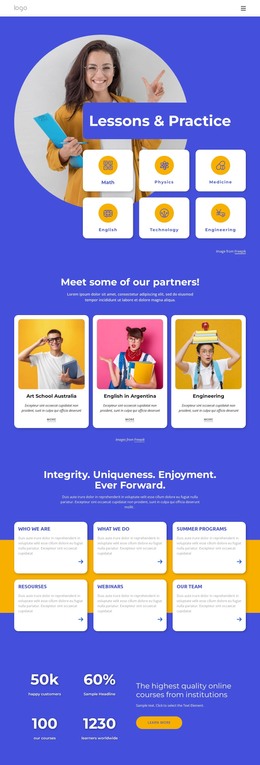
The heading and paragraph give this section a durable page-content role: they introduce “children's lessons” rather than presenting a time-sensitive stream of unrelated entries. Beside that descriptive area, the event-details block gathers the displayed date, time, street address, and RSVP line into a format that can be replaced with the current information for a class or lesson event. The values shown in the design function as sample content, while the relationship between the explanatory copy and practical details remains useful for a published page.
Below, two equal photographs depict children engaging with wooden or musical toys. They can support the written topic as page imagery, giving the section a visual account of the activity without changing its informational purpose. The white background, restrained black typography, bold details, and generous whitespace help the section remain consistent when placed alongside other WordPress-managed content areas. A broader project might surround it with program descriptions, teacher information, registration content, or additional pages, but this block contributes one focused lesson introduction. Its value in a WordPress context is therefore the combination of stable educational copy, replaceable event information, and a recognizable image pair—not a claim that it is a complete WordPress Theme.
Customize with Nicepage
Open this ready-made template in the WordPress Website Builder and customize it visually in the Nicepage editor. Replace demo content, edit page sections, and adapt the design to your project without rebuilding the template from scratch.
Edit Template Offline
2. Create a new page or select existing
3. Click Add new block, search for id 167969 and click enter
Edit Template Online
Create Awesome Websites


Free Nicepage Builder
Keywords
Manage and Edit This Theme in WordPress
Customize and Install the WordPress Theme
Start with this ready-made theme instead of building the WordPress design from scratch. Customize its layout, content, typography, images, sections, and other design elements visually in Nicepage editor, then export and install the WordPress Theme, Plugin, and Pages on your WordPress site. The Nicepage WordPress Plugin lets you continue working with the site after installation.
Edit the Theme Directly in WordPress
After installation, you can edit the WordPress Theme directly in WordPress with the Nicepage WordPress Plugin. Use Site Style to customize site Colors, Fonts, Header, Footer, Blog, and Post Page Templates while working within your WordPress website.
Edit WordPress Pages Visually
Use the Nicepage WordPress Plugin to edit page content directly from the WordPress admin area. Open a WordPress Page with Nicepage and visually change its text, images, sections, and other page elements while continuing to manage the Page through WordPress.
WordPress Content and Theme Integration
Use the customized theme with WordPress Pages, Posts, Blog and Post Templates, menus, widgets, and other CMS-managed content. Shared theme elements such as Colors, Fonts, Header, Footer, Blog, and Post Page Templates can be managed as part of the overall site design, while WordPress provides the CMS environment for managing site content.
This workflow combines a ready-made WordPress Theme with visual customization, direct theme editing in WordPress, and continued content management through the Nicepage WordPress Plugin.