The best running tips WordPress Theme


Six Running Recommendations Form Stable Page Content
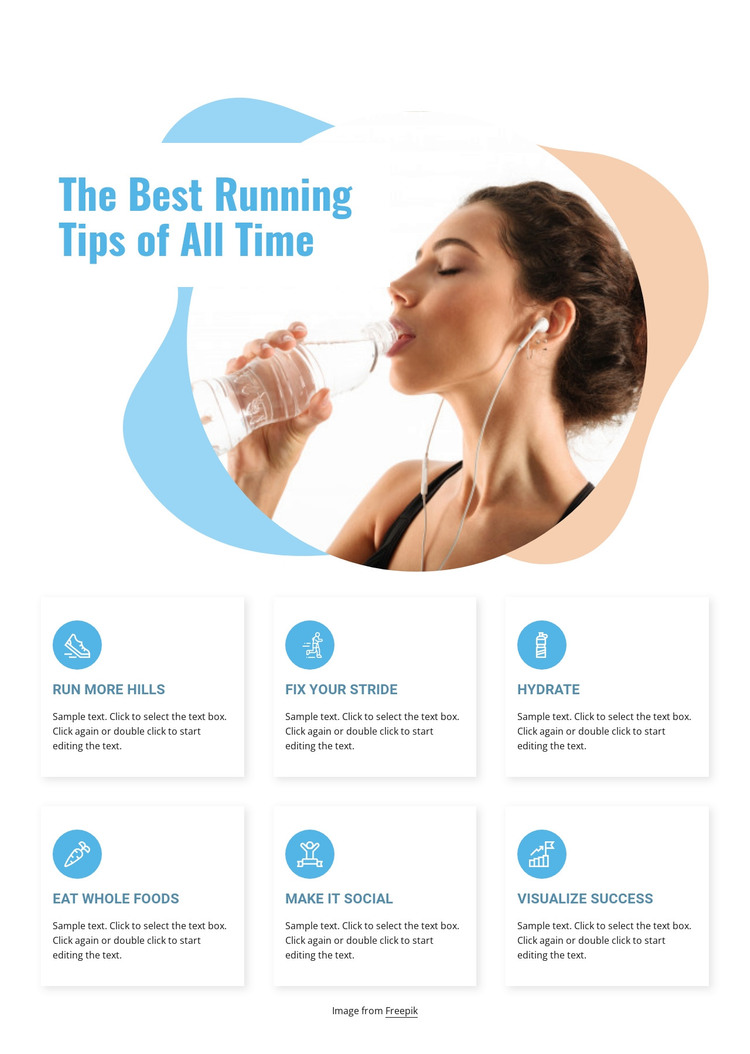
The heading and six named recommendations give this section a clear content role within a WordPress-managed page. Rather than relying on a long uninterrupted passage, the block separates practical guidance into “Run More Hills,” “Fix Your Stride,” “Hydrate,” “Eat Whole Foods,” “Make It Social,” and “Visualize Success.” Each item uses the same pattern of circular icon, title, and descriptive paragraph, making the information easy to maintain as a coherent group of page content.
The upper region adds context without changing that role. A large circular photograph of a person drinking water reinforces the running and wellness subject, while the blue and pale peach organic shapes distinguish the introduction from the card grid. Beneath it, three columns across two rows create a predictable reading sequence. The white cards and subtle shadows give each recommendation its own boundary, while left-aligned text keeps the descriptions readable.
In a WordPress-oriented project, this block can occupy a stable services, features, or guidance area on a page while the wider site manages other content around it. The section’s repeated structure is suitable for revising tip titles and descriptions without losing the visual pattern. The image credit line remains a supporting content detail below the grid, separate from the six main recommendations and their page-level interpretation.
Customize with Nicepage
Open this ready-made template in the WordPress Website Builder and customize it visually in the Nicepage editor. Replace demo content, edit page sections, and adapt the design to your project without rebuilding the template from scratch.
Edit Template Offline
2. Create a new page or select existing
3. Click Add new block, search for id 154339 and click enter
Edit Template Online
Create Awesome Websites


Free Nicepage Builder
Keywords
Manage and Edit This Theme in WordPress
Customize and Install the WordPress Theme
Start with this ready-made theme instead of building the WordPress design from scratch. Customize its layout, content, typography, images, sections, and other design elements visually in Nicepage editor, then export and install the WordPress Theme, Plugin, and Pages on your WordPress site. The Nicepage WordPress Plugin lets you continue working with the site after installation.
Edit the Theme Directly in WordPress
After installation, you can edit the WordPress Theme directly in WordPress with the Nicepage WordPress Plugin. Use Site Style to customize site Colors, Fonts, Header, Footer, Blog, and Post Page Templates while working within your WordPress website.
Edit WordPress Pages Visually
Use the Nicepage WordPress Plugin to edit page content directly from the WordPress admin area. Open a WordPress Page with Nicepage and visually change its text, images, sections, and other page elements while continuing to manage the Page through WordPress.
WordPress Content and Theme Integration
Use the customized theme with WordPress Pages, Posts, Blog and Post Templates, menus, widgets, and other CMS-managed content. Shared theme elements such as Colors, Fonts, Header, Footer, Blog, and Post Page Templates can be managed as part of the overall site design, while WordPress provides the CMS environment for managing site content.
This workflow combines a ready-made WordPress Theme with visual customization, direct theme editing in WordPress, and continued content management through the Nicepage WordPress Plugin.