Greening home with plants WordPress Theme


Editorial Plant Content With a Clear WordPress Page Role
The heading and supporting paragraph give this block the character of stable page content rather than a temporary promotional strip. “Why we should be greening our homes with plants” introduces the subject, while the accompanying copy develops a plant-focused home decor discussion through wellness, living decor, harmful chemicals, and humidity. The read-more action can connect this short introduction with a fuller article or related information elsewhere in the surrounding WordPress-managed project.
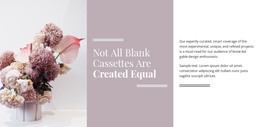
Its visual structure reinforces that content role. The text remains in a left-aligned column, with the outlined action placed beneath the paragraph as a restrained continuation cue. Two adjacent vertical interior photographs occupy the right side, providing visual context for indoor planting and decor without replacing the written explanation. The light gray background gives the section a quiet field, while the large condensed heading and black typography establish an editorial hierarchy that can sit comfortably among other page sections.
For a WordPress-oriented project, the block can function as a reusable permanent content area on a home, interiors, lifestyle, or informational page. Its heading, paragraph, image pair, and linked continuation are visually self-contained, so they can remain consistent while the wider site develops other content around them. The section therefore fits a publishable page-content role inside a broader theme environment, without being treated as a complete WordPress Theme or an entire page.
Customize with Nicepage
Open this ready-made template in the WordPress Website Builder and customize it visually in the Nicepage editor. Replace demo content, edit page sections, and adapt the design to your project without rebuilding the template from scratch.
Edit Template Offline
2. Create a new page or select existing
3. Click Add new block, search for id 139927 and click enter
Edit Template Online
Create Awesome Websites


Free Nicepage Builder
Keywords
Manage and Edit This Theme in WordPress
Customize and Install the WordPress Theme
Start with this ready-made theme instead of building the WordPress design from scratch. Customize its layout, content, typography, images, sections, and other design elements visually in Nicepage editor, then export and install the WordPress Theme, Plugin, and Pages on your WordPress site. The Nicepage WordPress Plugin lets you continue working with the site after installation.
Edit the Theme Directly in WordPress
After installation, you can edit the WordPress Theme directly in WordPress with the Nicepage WordPress Plugin. Use Site Style to customize site Colors, Fonts, Header, Footer, Blog, and Post Page Templates while working within your WordPress website.
Edit WordPress Pages Visually
Use the Nicepage WordPress Plugin to edit page content directly from the WordPress admin area. Open a WordPress Page with Nicepage and visually change its text, images, sections, and other page elements while continuing to manage the Page through WordPress.
WordPress Content and Theme Integration
Use the customized theme with WordPress Pages, Posts, Blog and Post Templates, menus, widgets, and other CMS-managed content. Shared theme elements such as Colors, Fonts, Header, Footer, Blog, and Post Page Templates can be managed as part of the overall site design, while WordPress provides the CMS environment for managing site content.
This workflow combines a ready-made WordPress Theme with visual customization, direct theme editing in WordPress, and continued content management through the Nicepage WordPress Plugin.