Music performance news WordPress Theme


A Stable Music Feature for WordPress-Managed Page Content
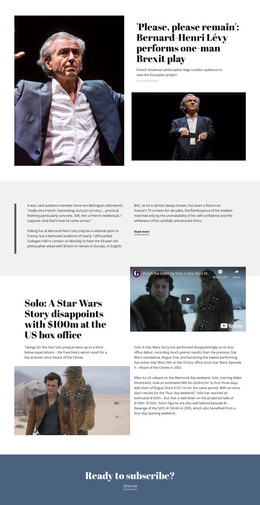
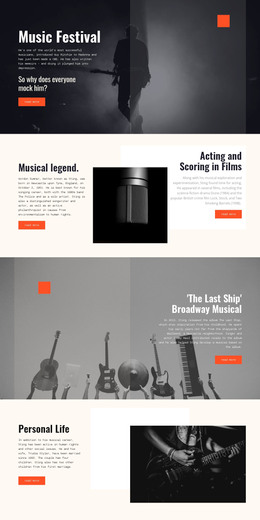
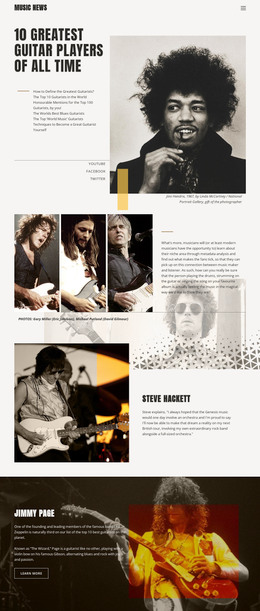
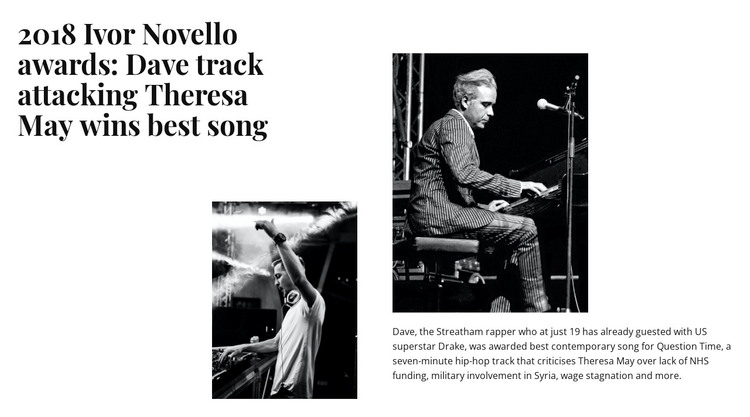
The headline and supporting paragraph give this section the character of permanent editorial page content rather than a short promotional label. The left column introduces the story through the 2018 Ivor Novello awards headline and a monochrome photograph. The right column continues with another image and text about Dave, the song “Question Time,” its seven-minute hip-hop format, and the issues it addresses, including NHS funding, military involvement in Syria, and wage stagnation.
In a WordPress-managed site, this block can provide a visually consistent feature area on a music, culture, or entertainment page. Its content is already organized into a recognizable story unit, while the split layout separates the headline-led introduction from the explanatory paragraph. The white background and serif typography also make the section distinct from denser content areas without requiring the block to carry the wider theme structure.
The block itself remains a reusable page section. A surrounding project can provide other editorial areas, artist information, archive listings, or contact content, while this design preserves the feature story’s image-to-text relationship. Since the interaction is static, the visible headline, photographs, and paragraph can be read together without relying on a CMS-specific widget, post listing, or interactive component. That makes the section suitable for a stable WordPress page role while leaving broader publishing organization to the site around it.
Customize with Nicepage
Open this ready-made template in the WordPress Website Builder and customize it visually in the Nicepage editor. Replace demo content, edit page sections, and adapt the design to your project without rebuilding the template from scratch.
Edit Template Offline
2. Create a new page or select existing
3. Click Add new block, search for id 137603 and click enter
Edit Template Online
Create Awesome Websites


Free Nicepage Builder
Keywords
Manage and Edit This Theme in WordPress
Customize and Install the WordPress Theme
Start with this ready-made theme instead of building the WordPress design from scratch. Customize its layout, content, typography, images, sections, and other design elements visually in Nicepage editor, then export and install the WordPress Theme, Plugin, and Pages on your WordPress site. The Nicepage WordPress Plugin lets you continue working with the site after installation.
Edit the Theme Directly in WordPress
After installation, you can edit the WordPress Theme directly in WordPress with the Nicepage WordPress Plugin. Use Site Style to customize site Colors, Fonts, Header, Footer, Blog, and Post Page Templates while working within your WordPress website.
Edit WordPress Pages Visually
Use the Nicepage WordPress Plugin to edit page content directly from the WordPress admin area. Open a WordPress Page with Nicepage and visually change its text, images, sections, and other page elements while continuing to manage the Page through WordPress.
WordPress Content and Theme Integration
Use the customized theme with WordPress Pages, Posts, Blog and Post Templates, menus, widgets, and other CMS-managed content. Shared theme elements such as Colors, Fonts, Header, Footer, Blog, and Post Page Templates can be managed as part of the overall site design, while WordPress provides the CMS environment for managing site content.
This workflow combines a ready-made WordPress Theme with visual customization, direct theme editing in WordPress, and continued content management through the Nicepage WordPress Plugin.