Grid repeater with large icons WordPress Theme


The labeled card row fits stable WordPress page content
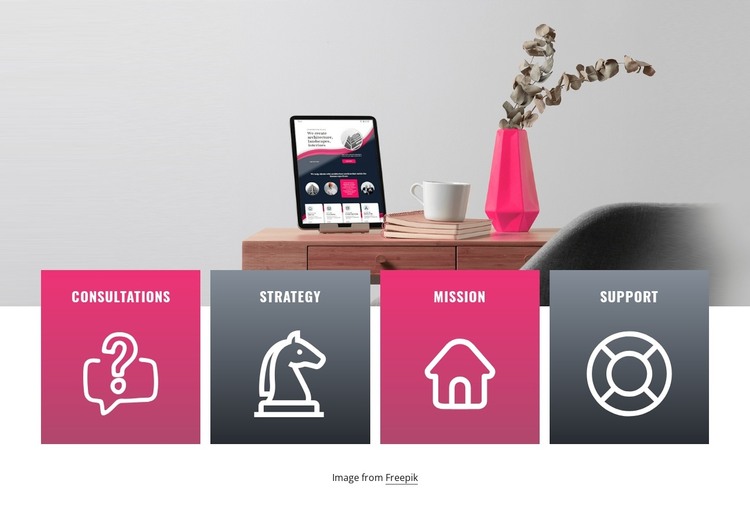
Consultations, Strategy, Mission, and Support give this block four distinct content units that can be read together as a services or capabilities group. The outline icons provide a visual cue for each category, while the white uppercase labels keep the wording prominent against alternating magenta and dark charcoal card backgrounds. Because every item follows the same card pattern, the row presents related information consistently without relying on an interaction such as a slider or accordion.
The wide interior still-life image occupies the upper portion and establishes the visual setting for the cards. Their overlap across the image's lower edge creates a deliberate connection between visual context and category information. Beneath the cards, the centered Freepik credit line sits in its own area with generous surrounding space, so attribution remains readable without becoming another service item.
In a WordPress-oriented project, the section can work as stable page content for a services or capabilities area. Its clear four-item model suits a permanent page section that should remain visually consistent while the wider site adds other content around it. The block does not need to carry the site's complete theme structure: it supplies one recognizable content region, while additional WordPress-managed pages and sections can provide introductions, detailed explanations, portfolio material, or contact information.
Customize with Nicepage
Open this ready-made template in the WordPress Website Builder and customize it visually in the Nicepage editor. Replace demo content, edit page sections, and adapt the design to your project without rebuilding the template from scratch.
Edit Template Offline
2. Create a new page or select existing
3. Click Add new block, search for id 1281429 and click enter
Edit Template Online
Create Awesome Websites


Free Nicepage Builder
Keywords
Manage and Edit This Theme in WordPress
Customize and Install the WordPress Theme
Start with this ready-made theme instead of building the WordPress design from scratch. Customize its layout, content, typography, images, sections, and other design elements visually in Nicepage editor, then export and install the WordPress Theme, Plugin, and Pages on your WordPress site. The Nicepage WordPress Plugin lets you continue working with the site after installation.
Edit the Theme Directly in WordPress
After installation, you can edit the WordPress Theme directly in WordPress with the Nicepage WordPress Plugin. Use Site Style to customize site Colors, Fonts, Header, Footer, Blog, and Post Page Templates while working within your WordPress website.
Edit WordPress Pages Visually
Use the Nicepage WordPress Plugin to edit page content directly from the WordPress admin area. Open a WordPress Page with Nicepage and visually change its text, images, sections, and other page elements while continuing to manage the Page through WordPress.
WordPress Content and Theme Integration
Use the customized theme with WordPress Pages, Posts, Blog and Post Templates, menus, widgets, and other CMS-managed content. Shared theme elements such as Colors, Fonts, Header, Footer, Blog, and Post Page Templates can be managed as part of the overall site design, while WordPress provides the CMS environment for managing site content.
This workflow combines a ready-made WordPress Theme with visual customization, direct theme editing in WordPress, and continued content management through the Nicepage WordPress Plugin.