Quality car repair WordPress Theme


Permanent Service Content With a Clear Visual Pattern
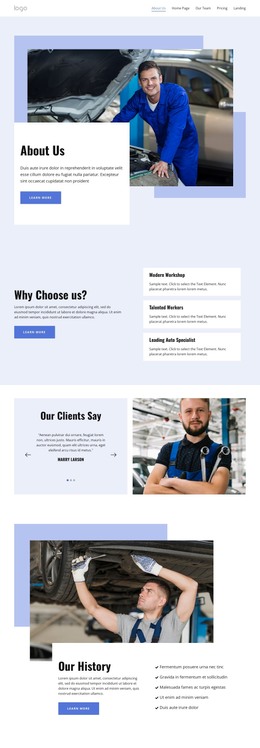
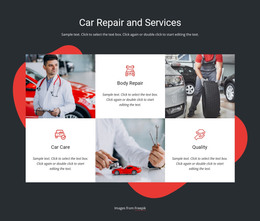
The heading and supporting paragraph make this section read as stable explanatory content rather than a dated announcement. Beneath them, Car care, Auto Repair, and Service Shop form three repeatable service entries, each using a numbered marker and a dedicated descriptive area. That shared pattern gives the content a consistent structure while allowing each category to receive its own wording. The large portrait image on the left supplies visual context and balances the denser text arrangement on the right.
For a WordPress-managed page, the block can serve as a reusable automotive services area within permanent page content. Its charcoal background creates a contained visual region, while white typography keeps the section heading and service labels prominent. The red and blue bars act as graphic accents rather than separate content features, helping the service row retain a recognizable appearance when placed near other page sections. Because the interaction is static, visitors can review all three categories without opening panels or moving through a carousel.
The current service descriptions are placeholder copy, so the final WordPress page can replace them with accurate business information while preserving the image-to-text balance and repeated item structure. Other WordPress-managed content can handle contact details, booking information, or deeper service explanations elsewhere on the site. The block therefore contributes a defined services region to a broader page, rather than functioning as a complete WordPress Theme or site on its own.
Customize with Nicepage
Open this ready-made template in the WordPress Website Builder and customize it visually in the Nicepage editor. Replace demo content, edit page sections, and adapt the design to your project without rebuilding the template from scratch.
Edit Template Offline
2. Create a new page or select existing
3. Click Add new block, search for id 126513 and click enter
Edit Template Online
Create Awesome Websites


Free Nicepage Builder
Keywords
Manage and Edit This Theme in WordPress
Customize and Install the WordPress Theme
Start with this ready-made theme instead of building the WordPress design from scratch. Customize its layout, content, typography, images, sections, and other design elements visually in Nicepage editor, then export and install the WordPress Theme, Plugin, and Pages on your WordPress site. The Nicepage WordPress Plugin lets you continue working with the site after installation.
Edit the Theme Directly in WordPress
After installation, you can edit the WordPress Theme directly in WordPress with the Nicepage WordPress Plugin. Use Site Style to customize site Colors, Fonts, Header, Footer, Blog, and Post Page Templates while working within your WordPress website.
Edit WordPress Pages Visually
Use the Nicepage WordPress Plugin to edit page content directly from the WordPress admin area. Open a WordPress Page with Nicepage and visually change its text, images, sections, and other page elements while continuing to manage the Page through WordPress.
WordPress Content and Theme Integration
Use the customized theme with WordPress Pages, Posts, Blog and Post Templates, menus, widgets, and other CMS-managed content. Shared theme elements such as Colors, Fonts, Header, Footer, Blog, and Post Page Templates can be managed as part of the overall site design, while WordPress provides the CMS environment for managing site content.
This workflow combines a ready-made WordPress Theme with visual customization, direct theme editing in WordPress, and continued content management through the Nicepage WordPress Plugin.