Modern Bus Rental Template


Edit Template Offline
2. Create new page and search for id 6651670
Edit Template Online
Create Awesome Websites


Free Nicepage Builder
Keywords
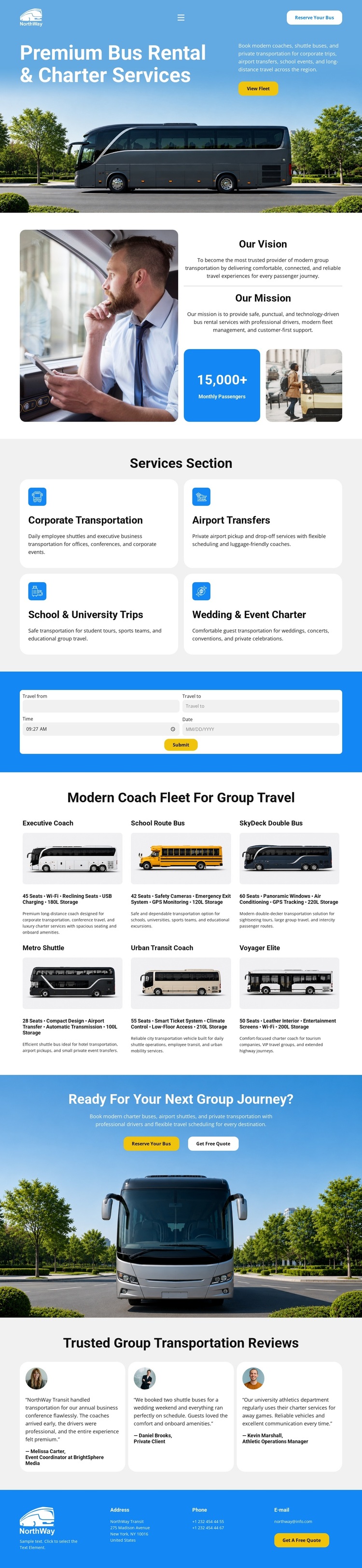
Four Service Categories and Six Fleet Options Make the Design Distinctive
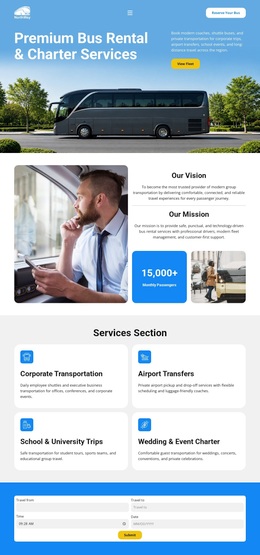
The strongest reason to choose this design is the way it connects broad transportation services with a concrete fleet presentation. Instead of stopping after a generic charter introduction, the page identifies four recognizable use cases: corporate transportation, airport transfers, school and university trips, and wedding or event charters. This gives different group-travel audiences an immediate way to understand where the offer fits.
The six-item fleet catalog adds another layer of specificity. Executive Coach, School Route Bus, SkyDeck Double Bus, Metro Shuttle, Urban Transit Coach, and Voyager Elite create a visual selection area supported by vehicle imagery. The trip-planning panel sits between the service cards and fleet catalog, so the page can move naturally from choosing a travel need to considering a vehicle option. Vision and mission content prevents the design from feeling like a catalog alone, while the Request Your Quote section and three testimonial cards add inquiry and reassurance elements. Blue bands, rounded cards, and high-contrast photography give the presentation a recognizable transportation-service character without relying on dense text. This makes the template a useful choice for projects that need to show both the range of group travel services and the available coach or shuttle direction in one focused design.
Customize with Nicepage
Open this ready-made template in the Template Builder and customize it visually in the Nicepage editor. Replace demo content, edit page sections, and adapt the design to your project without rebuilding the template from scratch.
Start With a Ready-Made Template
Choose a Design for a New Page
Use a ready-made template as a starting point instead of creating every page from a blank canvas. When adding a new page in Nicepage, browse available designs, compare different layouts, and choose an option that already fits the general purpose and visual direction of your project.
Browse Different Page Designs
Explore Page Designs using search, thematic categories, Design Sets, and full-page previews. The collection includes layouts for different subjects and page purposes, making it easier to compare alternatives before selecting a design to customize.
Customize the Selected Template
After choosing a design, create the page and continue editing it visually in Nicepage. Replace the demo content, adjust images, typography, colors, sections, and other elements, and adapt the ready-made layout to your own content instead of rebuilding the design from the beginning.
Explore More Design Directions
If the first option does not match your project closely enough, return to the design collection and compare other templates before committing to a layout. This makes the template library useful not only for faster page creation, but also for exploring different visual approaches and finding a suitable starting point for a new project.
This workflow gives you access to a broad collection of ready-made designs that can be selected, compared, and customized according to the needs of each new page or project.